
 localizeflow[bot]
306cec0f79
localizeflow[bot]
306cec0f79
|
5 months ago | |
|---|---|---|
| .. | ||
| 1-getting-started-lessons | 6 months ago | |
| 2-js-basics | 8 months ago | |
| 3-terrarium | 8 months ago | |
| 4-typing-game | 8 months ago | |
| 5-browser-extension | 8 months ago | |
| 6-space-game | 8 months ago | |
| 7-bank-project | 8 months ago | |
| 8-code-editor/1-using-a-code-editor | 8 months ago | |
| 9-chat-project | 8 months ago | |
| 10-ai-framework-project | 8 months ago | |
| Git-Basics | 8 months ago | |
| docs | 8 months ago | |
| lesson-template | 8 months ago | |
| memory-game | 8 months ago | |
| quiz-app | 8 months ago | |
| .co-op-translator.json | 5 months ago | |
| AGENTS.md | 5 months ago | |
| CODE_OF_CONDUCT.md | 8 months ago | |
| CONTRIBUTING.md | 8 months ago | |
| README.md | 6 months ago | |
| Roadmap.md | 8 months ago | |
| SECURITY.md | 8 months ago | |
| SUPPORT.md | 8 months ago | |
| _404.md | 8 months ago | |
| for-teachers.md | 8 months ago | |
README.md
Web Development for Beginners - Curriculum
Learn di fundamentals of web development wit our 12-week complete course by Microsoft Cloud Advocates. Each of di 24 lessons dey dig into JavaScript, CSS, and HTML wit hands-on projects lak terrariums, browser extensions, and space games. Take part for quizzes, discussions, and praktikal assignments. Sharpen your skills and make sure say you sabi well wit our effective project-based learning method. Begin your coding journey today!
Join di Azure AI Foundry Discord Community
Follow these steps to start to use these resources:
- Fork di Repository: Click

- Clone di Repository:
git clone https://github.com/microsoft/Web-Dev-For-Beginners.git - Join Di Azure AI Foundry Discord and meet experts and fellow developers
🌐 Multi-Language Support
Supported via GitHub Action (Automated & Always Up-to-Date)
Arabic | Bengali | Bulgarian | Burmese (Myanmar) | Chinese (Simplified) | Chinese (Traditional, Hong Kong) | Chinese (Traditional, Macau) | Chinese (Traditional, Taiwan) | Croatian | Czech | Danish | Dutch | Estonian | Finnish | French | German | Greek | Hebrew | Hindi | Hungarian | Indonesian | Italian | Japanese | Kannada | Khmer | Korean | Lithuanian | Malay | Malayalam | Marathi | Nepali | Nigerian Pidgin | Norwegian | Persian (Farsi) | Polish | Portuguese (Brazil) | Portuguese (Portugal) | Punjabi (Gurmukhi) | Romanian | Russian | Serbian (Cyrillic) | Slovak | Slovenian | Spanish | Swahili | Swedish | Tagalog (Filipino) | Tamil | Telugu | Thai | Turkish | Ukrainian | Urdu | Vietnamese
You Prefer To Clone Locally?
Dis repository get 50+ language translations wey go make the download size plenty. If you want clone without translations, try sparse checkout:
Bash / macOS / Linux:
git clone --filter=blob:none --sparse https://github.com/microsoft/Web-Dev-For-Beginners.git
cd Web-Dev-For-Beginners
git sparse-checkout set --no-cone '/*' '!translations' '!translated_images'
CMD (Windows):
git clone --filter=blob:none --sparse https://github.com/microsoft/Web-Dev-For-Beginners.git
cd Web-Dev-For-Beginners
git sparse-checkout set --no-cone "/*" "!translations" "!translated_images"
Dis one go give you everything wey you need to complete the course wit faster download.
If you want to add more translations languages wey dem support dey listed here

🧑🎓 You be student?
Visit Student Hub page wey you go find beginner resources, Student packs and ways to get free certificate voucher. Na dis page you go want bookmark and dey check every time as we dey change content monthly.
📣 Announcement - New GitHub Copilot Agent mode challenges to complete!
New Challenge dey inside, look for "GitHub Copilot Agent Challenge 🚀" inside most chapters. Na new challenge for you to complete wit GitHub Copilot and Agent mode. If you never use Agent mode before, e fit not just generate text but e fit create and edit files, run commands and more.
📣 Announcement - New Project to build using Generative AI
New AI Assistant project don add, check am project
📣 Announcement - New Curriculum on Generative AI for JavaScript don release
No miss our new Generative AI curriculum!
Visit https://aka.ms/genai-js-course make you start!
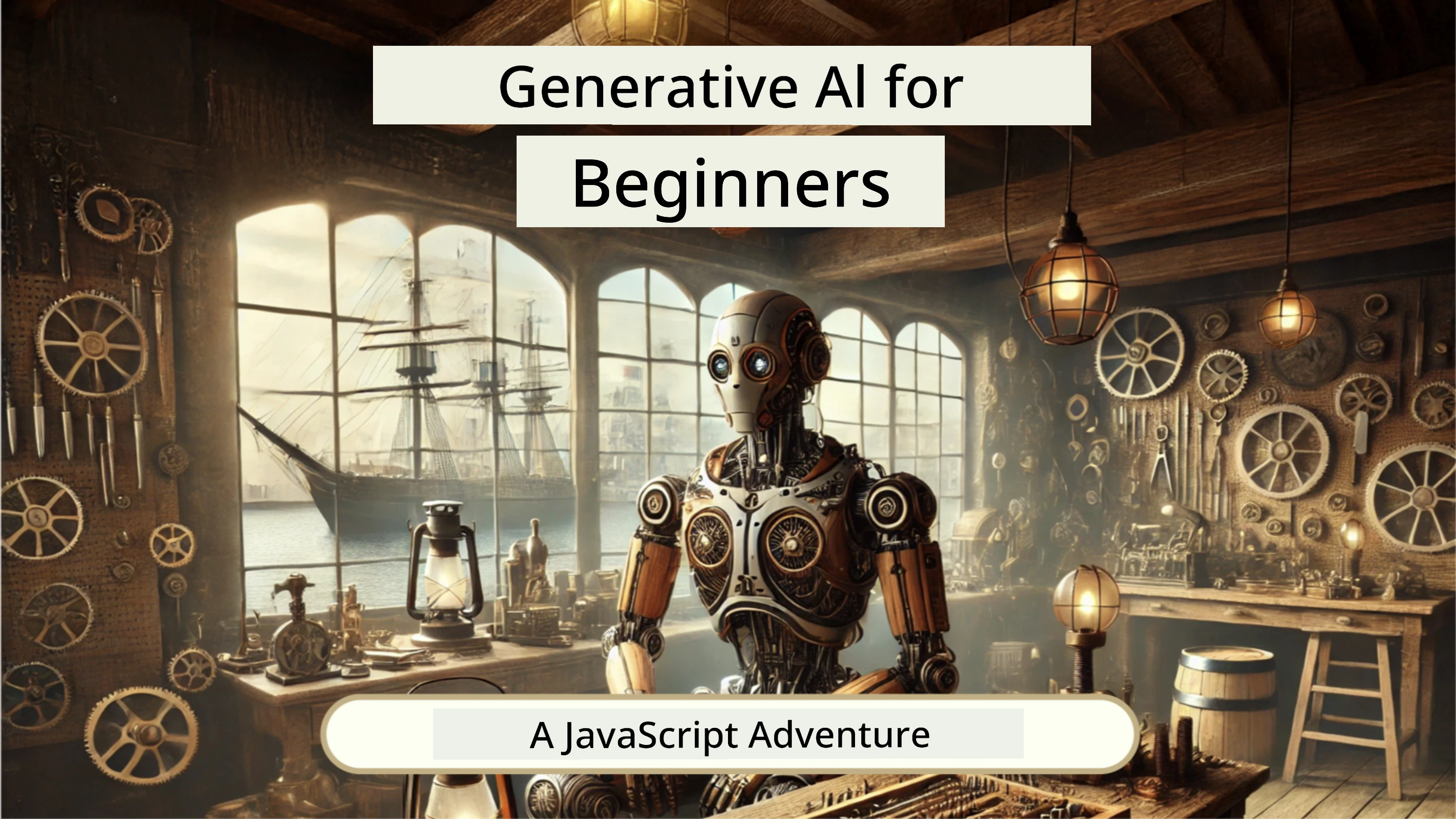
- Lessons cover everything from basics to RAG.
- Interact wit historical characters using GenAI and our companion app.
- Fun and interesting story, you go dey time travel!
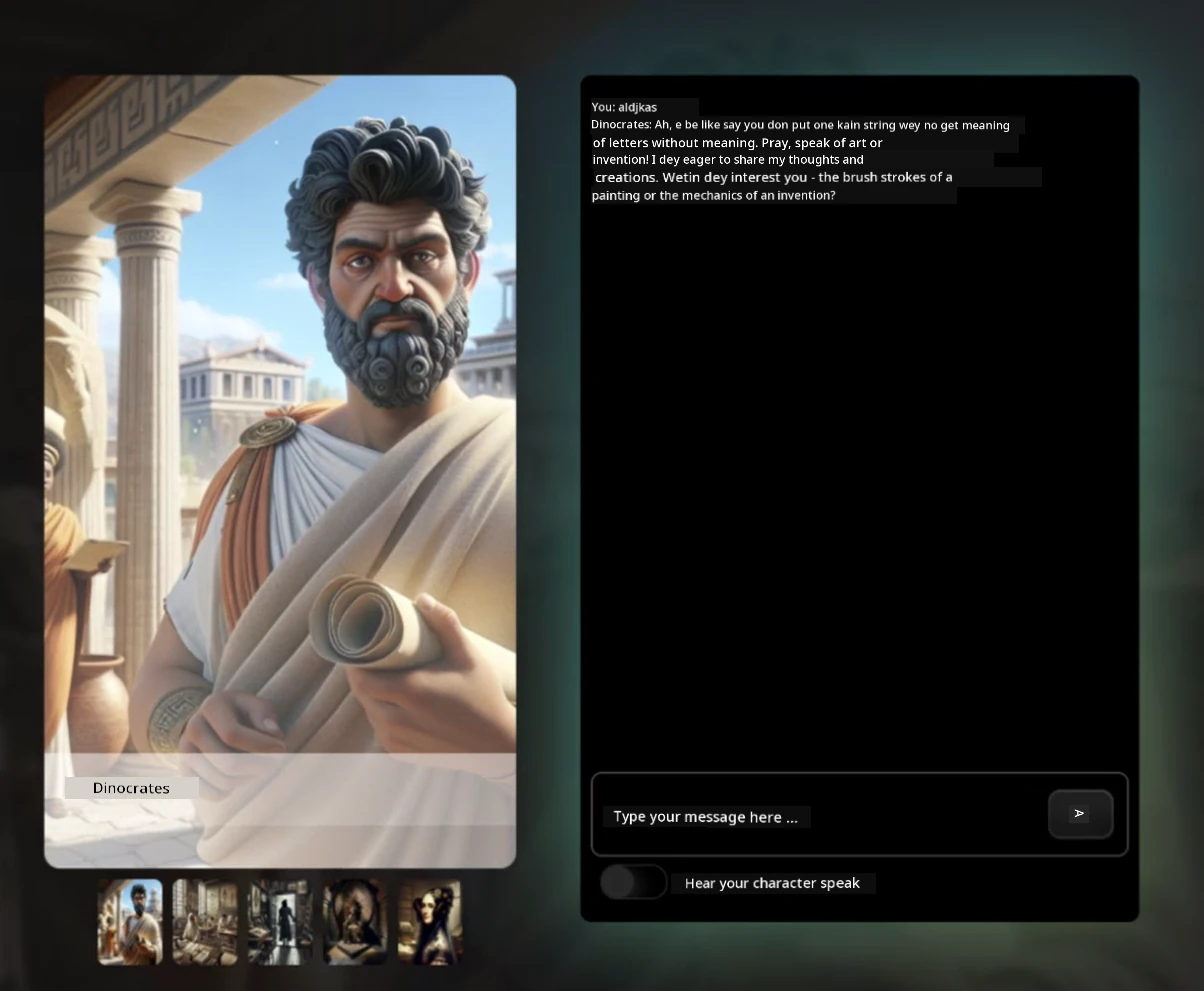
Each lesson get assignment to complete, knowledge check and challenge to guide you as you dey learn topics like:
- Prompting and prompt engineering
- Text and image app generation
- Search apps
Visit https://aka.ms/genai-js-course make you start!
🌱 How To Start
Teachers, we don include some suggestions on how you fit use dis curriculum. We go like hear your feedback for our discussion forum!
Learners, for each lesson, start wit pre-lecture quiz then follow by reading the lecture material, finish the different activities and check if you sabi well wit post-lecture quiz.
Make your learning sweet, join wit your classmates make una work on di projects together! Discussions dey encouraged for our discussion forum where our moderators team go ready to answer your questions.
To take your education go higher, we strongly recommend make you check Microsoft Learn for extra study materials.
📋 How to set up your environment
Dis curriculum get development environment wey ready! As you start, you fit choose to run di curriculum for inside Codespace (browser-base, no need install environment), or run am for your computer using text editor like Visual Studio Code.
Create your repository
To make e easy for you to save your work, e better make you create your own copy of dis repository. You fit do am by clicking di Use this template button for top of di page. E go create new repository for your GitHub account wey get copy of di curriculum.
Follow dis steps:
- Fork di Repository: Click di "Fork" button for top-right corner of dis page.
- Clone di Repository:
git clone https://github.com/microsoft/Web-Dev-For-Beginners.git
Run di curriculum for Codespace
For your copy of dis repository wey you create, click di Code button then select Open with Codespaces. E go create new Codespace for you to work inside.
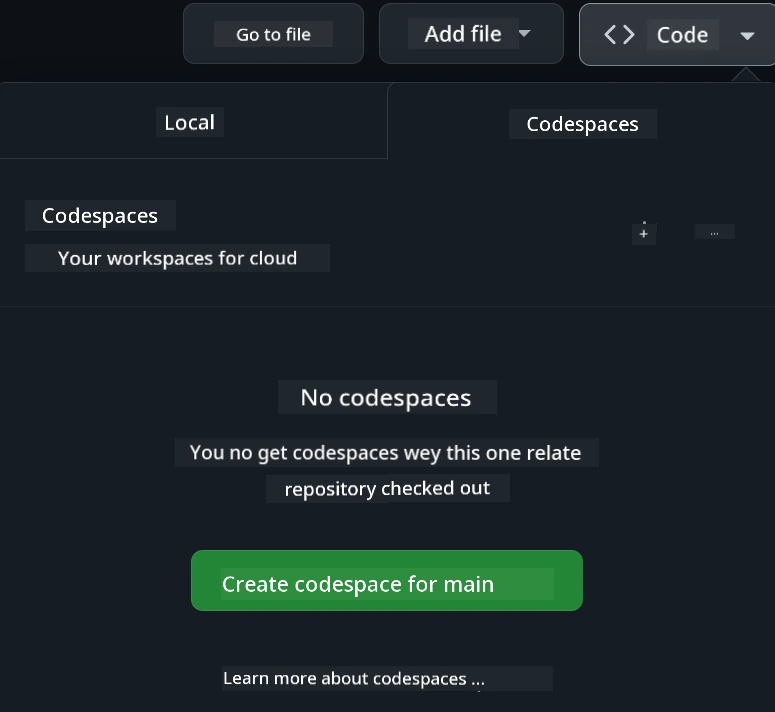
Run di curriculum locally for your computer
To run dis curriculum for your computer, you need text editor, browser and command line tool. Our first lesson, Introduction to Programming Languages and Tools of the Trade, go show you different options for all these tools make you fit choose wetin go work best for you.
We recommend make you use Visual Studio Code as editor, because e get built-in Terminal. You fit download Visual Studio Code here.
-
Clone your repository for your computer. You fit do dis by clicking di Code button den copy di URL:
Den, open Terminal inside Visual Studio Code and run dis command dem, change
<your-repository-url>wit di URL wey you just copy:git clone <your-repository-url> -
Open di folder inside Visual Studio Code. You fit do dis by clicking File > Open Folder and select di folder wey you just clone.
Recommended Visual Studio Code extensions:
- Live Server - to preview HTML pages inside Visual Studio Code
- Copilot - to help you write code quick quick
📂 Every lesson get:
- optional sketchnote
- optional supplemental video
- pre-lesson warmup quiz
- written lesson
- for project-based lessons, step-by-step guides on how to build the project
- knowledge checks
- challenge
- supplemental reading
- assignment
- post-lesson quiz
One note about quizzes: All di quizzes dey for di Quiz-app folder, 48 total quizzes wey get three questions each. Dem available here di quiz app fit run locally or dem fit deploy am for Azure; follow instruction wey dey inside
quiz-appfolder.
🗃️ Lessons
| Project Name | Concepts Taught | Learning Objectives | Linked Lesson | Author | |
|---|---|---|---|---|---|
| 01 | Getting Started | Introduction to Programming and Tools of the Trade | Learn di basic foundation wey dey behind most programming languages and about software wey dey help professional developers do their jobs | Intro to Programming Languages and Tools of the Trade | Jasmine |
| 02 | Getting Started | Basics of GitHub, including how to work with team | How to use GitHub for your project, how to collaborate wit other people for code base | Intro to GitHub | Floor |
| 03 | Getting Started | Accessibility | Learn di basics of web accessibility | Accessibility Fundamentals | Christopher |
| 04 | JS Basics | JavaScript Data Types | Di basics of JavaScript data types | Data Types | Jasmine |
| 05 | JS Basics | Functions and Methods | Learn about functions and methods to manage app logic flow | Functions and Methods | Jasmine and Christopher |
| 06 | JS Basics | Making Decisions with JS | Learn how to create conditions for your code using decision-making methods | Making Decisions | Jasmine |
| 07 | JS Basics | Arrays and Loops | Work with data using arrays and loops inside JavaScript | Arrays and Loops | Jasmine |
| 08 | Terrarium | HTML in Practice | Build di HTML to create online terrarium, focus on building layout | Introduction to HTML | Jen |
| 09 | Terrarium | CSS in Practice | Build di CSS to style the online terrarium, focus on di basics of CSS including how to make di page responsive | Introduction to CSS | Jen |
| 10 | Terrarium | JavaScript Closures, DOM manipulation | Build di JavaScript to make di terrarium work as drag/drop interface, focus on closures and DOM manipulation | JavaScript Closures, DOM manipulation | Jen |
| 11 | Typing Game | Build a Typing Game | Learn how to use keyboard events to drive di logic of your JavaScript app | Event-Driven Programming | Christopher |
| 12 | Green Browser Extension | Working with Browsers | Learn how browsers dey work, dem history, and how to scaffold first elements of browser extension | About Browsers | Jen |
| 13 | Green Browser Extension | Building form, calling API and storing variables for local storage | Build JavaScript parts for your browser extension to call API using variables wey you store for local storage | APIs, Forms, and Local Storage | Jen |
| 14 | Green Browser Extension | Background processes for browser, web performance | Use browser background processes to manage extension icon; learn about web performance and some optimization to make | Background Tasks and Performance | Jen |
| 15 | Space Game | More Advanced Game Development with JavaScript | Learn about Inheritance using both Classes and Composition and Pub/Sub pattern, prepare for building game | Introduction to Advanced Game Development | Chris |
| 16 | Space Game | Drawing to canvas | Learn about Canvas API, wey dem dey use draw elements for screen | Drawing to Canvas | Chris |
| 17 | Space Game | Moving elements around screen | Discover how elements fit waka using cartesian coordinates and Canvas API | Moving Elements Around | Chris |
| 18 | Space Game | Collision detection | Make elements collide and react to each other using keypresses and add cooldown function to help game performance | Collision Detection | Chris |
| 19 | Space Game | Keeping score | Do math calculations based on game status and performance | Keeping Score | Chris |
| 20 | Space Game | Ending and restarting the game | Learn about how to end and restart game, including cleaning assets and resetting variable values | The Ending Condition | Chris |
| 21 | Banking App | HTML Templates and Routes for Web App | Learn how to create scaffold of multipage website architecture using routing and HTML templates | HTML Templates and Routes | Yohan |
| 22 | Banking App | Build Login and Registration Form | Learn about form building and handling validation | Forms | Yohan |
| 23 | Banking App | Methods of Fetching and Using Data | How data flows in and out of your app, how to fetch am, store am, and dispose am | Data | Yohan |
| 24 | Banking App | Concepts of State Management | Learn how your app dey retain state and how to manage am programmatically | State Management | Yohan |
| 25 | Browser/VScode Code | Working with VScode | Learn how to use code editor | Use VScode Code Editor | Chris |
| 26 | AI Assistants | Working with AI | Learn how to build your own AI assistant | AI Assistant project | Chris |
🏫 Pedagogy
Our curriculum design based on two main pedagogy principles:
- project-based learning
- frequent quizzes
Di program teach fundamentals of JavaScript, HTML, and CSS, plus di latest tools and techniques wey web developers dey use nowadays. Students go get chance to develop hands-on experience by building typing game, virtual terrarium, eco-friendly browser extension, space-invader style game, plus banking app for business. By di end of di series, students go get solid understanding of web development.
🎓 You fit take di first few lessons for dis curriculum as Learn Path for Microsoft Learn!
By making sure say di content dey align wit projects, di process go dey more engaging for students and e go help dem hold di concepts well well. We still write some starter lessons for JavaScript basics to introduce concepts dem, plus video from di "Beginners Series to: JavaScript" collection of video tutorials, some authors self contribute to dis curriculum.
Also, low-stakes quiz before class set student mind for learning topic, while second quiz after class help increase retention. Dis curriculum get flexible design and na fun to use and you fit take am full or just part. Projects start small and dey grow complex by end of di 12-week cycle.
Even though we try avoid introducing JavaScript frameworks so that you fit focus for basic skills wey web developer need before to adopt framework, next good step to complete dis curriculum na to learn Node.js through another video collection call "Beginner Series to: Node.js".
Visit we Code of Conduct and Contributing guidelines. We welcome your constructive feedback!
🧭 Offline access
You fit run dis documentation offline by using Docsify. Fork dis repo, install Docsify for your local machine, then for di root folder for dis repo, type docsify serve. Website go dey serve for port 3000 for your localhost: localhost:3000.
You fit find PDF of all di lessons here.
🎒 Other Courses
Our team dey make oda courses too! Check am out:
LangChain



Azure / Edge / MCP / Agents




Generative AI Series

-9333EA?style=for-the-badge&labelColor=E5E7EB&color=9333EA)
-C084FC?style=for-the-badge&labelColor=E5E7EB&color=C084FC)
-E879F9?style=for-the-badge&labelColor=E5E7EB&color=E879F9)
Core Learning







Copilot Series



Getting Help
If you jam gbe or get any question about how to build AI apps. Join other learners and beta developers for talk about MCP. Na supportive community wey dey welcome questions and dey share knowledge freely.
If you get product feedback or find errors while you dey build, make you visit:


License
Dis repository get MIT license. See di LICENSE file for more info.
Disclaimer:
Dis document don translate wit AI translation service Co-op Translator. Even though we try make e correct, abeg sabi say automated translations fit get mistakes or wahala. Di original document for im own language na di main correct source. If na serious matter, better make human pro translate am. We no go responsible for any wrong understanding or wrong meaning wey fit show because of dis translation.