
 localizeflow[bot]
9e661e295d
localizeflow[bot]
9e661e295d
|
8 months ago | |
|---|---|---|
| .. | ||
| README.md | 8 months ago | |
| assignment.md | 8 months ago | |
README.md
Build a Space Game Part 1: Introduction
journey
    title Your Game Development Journey
    section Foundation
      Learn game architecture: 3: Student
      Understand inheritance: 4: Student
      Explore composition: 4: Student
    section Communication
      Build pub/sub system: 4: Student
      Design event flow: 5: Student
      Connect components: 5: Student
    section Application
      Create game objects: 5: Student
      Implement patterns: 5: Student
      Plan game structure: 5: Student
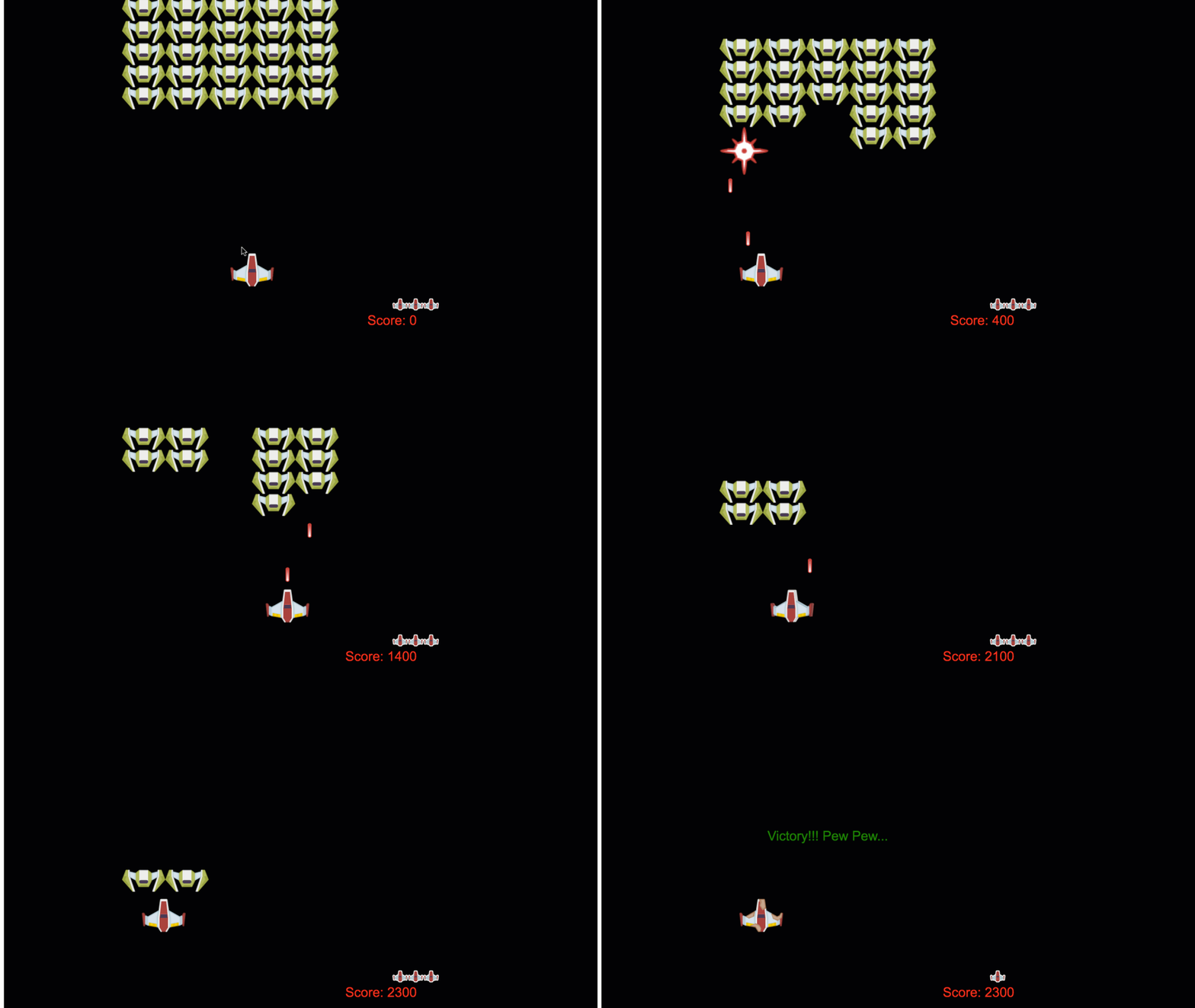
Just like NASA's mission control dey coordinate plenty systems during space launch, we go build space game wey go show how different parts of program fit work together well well. While you dey create sometin wey you fit really play, you go learn important programming concepts wey fit apply to any software project.
We go explore two important ways to organize code: inheritance and composition. Dem no be just school concepts – na these patterns dey power everything from video games to banking systems. We go also implement communication system wey dem dey call pub/sub wey dey work like the communication networks wey spacecrafts dey use, wey go allow different components sabi share info without them con create dependencies.
By di end of dis series, you go understand how to build applications wey fit scale and evolve – whether you dey develop games, web applications, or any oda software system.
mindmap
  root((Game Architecture))
    Object Organization
      Inheritance
      Composition
      Class Hierarchies
      Behavior Mixing
    Communication Patterns
      Pub/Sub System
      Event Emitters
      Message Passing
      Loose Coupling
    Game Objects
      Properties (x, y)
      Behaviors (move, collide)
      Lifecycle Management
      State Management
    Design Patterns
      Factory Functions
      Observer Pattern
      Component System
      Event-Driven Architecture
    Scalability
      Modular Design
      Maintainable Code
      Testing Strategies
      Performance Optimization
Pre-Lecture Quiz
Inheritance and Composition in Game Development
As projects dey grow complex, code organization go dey very important. Wetin start as simple script fit hard to maintain without proper structure – e be like how Apollo missions need serious coordination between thousands of components.
We go explore two main ways to organize code: inheritance and composition. Each one get im own advantage, and to sabi both go help you choose the best way for different situations. We go show these concepts inside our space game, where heroes, enemies, power-ups, and other objects must dey interact well.
✅ One of di most famous programming books ever written na about design patterns.
For any game, you get game objects – na the interactive things wey full your game world. Heroes, enemies, power-ups, and visual effects na all game objects. Each one dey exist for certain screen coordinates using x and y values, like to plot points for coordinate plane.
Even though dem different for how dem look, these objects dey share important behaviors:
- Dem dey exist somewhere – Every object get x and y coordinates so game go sabi where to draw am
- Plenty fit move around – Heroes dey run, enemies dey chase, bullets dey fly pass screen
- Dem get lifespan – Some go stay dey forever, others (like explosion) go show small and disappear
- Dem dey react to tinz – When tins collide, power-ups go get collect, health bars go change
✅ Think about game like Pac-Man. You fit identify the four object types wey we list for dis game?
classDiagram
    class GameObject {
        +x: number
        +y: number
        +type: string
        +exists_somewhere()
    }

    class MovableObject {
        +moveTo(x, y)
        +fit_move_around()
    }

    class TemporaryObject {
        +lifespan: number
        +get_lifespan()
    }

    class InteractiveObject {
        +onCollision()
        +react_to_tings()
    }

    GameObject <|-- MovableObject
    GameObject <|-- TemporaryObject
    GameObject <|-- InteractiveObject

    MovableObject <|-- Hero
    MovableObject <|-- Enemy
    MovableObject <|-- Bullet

    TemporaryObject <|-- PowerUp
    TemporaryObject <|-- Explosion

    InteractiveObject <|-- Collectible
    InteractiveObject <|-- Obstacle
Expressing Behavior Through Code
Now wey you don understand the common behaviors wey game objects get, make we explore how to implement these behaviors for JavaScript. You fit express object behavior through methods wey dem attach to either classes or individual objects, and plenty ways dey.
The Class-Based Approach
Classes and inheritance dey give structured approach to organize game objects. Like the way taxonomic classification system wey Carl Linnaeus make, you go start with base class wey get common properties, then create special classes wey go inherit these basics but add specific capabilities.
✅ Inheritance na important concept to sabi. Learn more for MDN's article about inheritance.
See how you fit implement game objects using classes and inheritance:
// Step 1: Mak di base GameObject klaas
class GameObject {
  constructor(x, y, type) {
    this.x = x;
    this.y = y;
    this.type = type;
  }
}
Make we break am down step by step:
- We dey create basic template wey every game object fit use
- The constructor dey save where the object dey (
x,y) and wetin kind thing e be - This one go be the foundation wey all your game objects go build on
// Step 2: Make am fit move by inherit from oda class
class Movable extends GameObject {
  constructor(x, y, type) {
    super(x, y, type); // Call di parent constructor
  }

  // Add di power to move go new position
  moveTo(x, y) {
    this.x = x;
    this.y = y;
  }
}
For the one wey dey above, we:
- Extend the GameObject class to add movement functionality
- Call the parent constructor using
super()to initialize inherited properties - Add
moveTo()method wey dey update the object's position
// Step 3: Mak sure say you create game object types wey get special kind
class Hero extends Movable {
  constructor(x, y) {
    super(x, y, 'Hero'); // Auto set the type
  }
}

class Tree extends GameObject {
  constructor(x, y) {
    super(x, y, 'Tree'); // Trees no need to waka
  }
}

// Step 4: Use your game objects
const hero = new Hero(0, 0);
hero.moveTo(5, 5); // Hero fit waka!

const tree = new Tree(10, 15);
// tree.moveTo() go cause error - trees no fit waka
To understand these concepts:
- Create special object types wey go inherit correct behaviors
- Show how inheritance fit allow make you select wetin feature you want
- Teach say heroes fit move but trees no fit move
- Make clear how class hierarchy fit stop wrong actions
✅ Take small time reminisce Pac-Man hero (Inky, Pinky or Blinky, for example) and how you fit write am in JavaScript.
The Composition Approach
Composition dey follow modular design philosophy, like how engineers dey design spacecraft with interchangeable parts. Instead of inherit from one parent class, you join specific behaviors to make objects wey get exactly the function wey dem need. This approach get flexibility without stiff hierarchical wahala.
// Step 1: Make di base behavior objects
const gameObject = {
  x: 0,
  y: 0,
  type: ''
};

const movable = {
  moveTo(x, y) {
    this.x = x;
    this.y = y;
  }
};
Dis code dey do:
- Define base
gameObjectwey get position and type properties - Create separate
movablebehavior object with movement function - Separate concerns by keeping position data and movement logic different
// Step 2: Combine tins dem make object dem
const movableObject = { ...gameObject, ...movable };

// Step 3: Build factory function dem for different kinds object
function createHero(x, y) {
  return {
    ...movableObject,
    x,
    y,
    type: 'Hero'
  };
}

function createStatic(x, y, type) {
  return {
    ...gameObject,
    x,
    y,
    type
  };
}
For the one wey dey above, we:
- Combine base object properties with movement behavior using spread syntax
- Make factory functions wey go return customized objects
- Allow flexible object creation without stiff class hierarchy
- Make objects get exactly the behaviors dem need
// Step 4: Make and use your join objects dem
const hero = createHero(10, 10);
hero.moveTo(5, 5); // E dey work well well!

const tree = createStatic(0, 0, 'Tree');
// tree.moveTo() no get - movement behavior no join together
Main points to remember:
- Compose objects by mixing behaviors instead of inherit them
- Give more flexibility pass strict inheritance hierarchies
- Allow objects get exactly the features dem need
- Use modern JavaScript spread syntax for clean object combination
**Which Pattern Should You Choose?**

**Which Pattern Should You Choose?**

```mermaid
quadrantChart
    title Code Organization Patterns
    x-axis Simple --> Complex
    y-axis Rigid --> Flexible
    quadrant-1 Advanced Composition
    quadrant-2 Hybrid Approaches
    quadrant-3 Basic Inheritance
    quadrant-4 Modern Composition

    Class Inheritance: [0.3, 0.2]
    Interface Implementation: [0.6, 0.4]
    Mixin Patterns: [0.7, 0.7]
    Pure Composition: [0.8, 0.9]
    Factory Functions: [0.5, 0.8]
    Prototype Chain: [0.4, 0.3]
💡 Pro Tip: Both patterns get dia place for modern JavaScript development. Classes dey work well for clear hierarchy, while composition dey shine when you want maximum flexibility.
When to use each approach:
- Choose inheritance when you get clear "is-a" relationships (Hero is-a Movable object)
- Select composition when you need "has-a" relationships (Hero get movement ability)
- Think about your team preference and project needs
- Remember say you fit mix both approaches inside the same app
🔄 Pedagogical Check-in
Object Organization Understanding: Before you move to communication patterns, make sure say you fit:
- ✅ Explain the difference between inheritance and composition
- ✅ Identify when you go use classes vs factory functions
- ✅ Understand how
super()keyword work for inheritance - ✅ Know the benefits of each approach for game development
Quick Self-Test: How you go create Flying Enemy wey fit both move and fly?
- Inheritance approach:
class FlyingEnemy extends Movable - Composition approach:
{ ...movable, ...flyable, ...gameObject }
Real-World Connection: These patterns dey everywhere:
- React Components: Props (composition) vs class inheritance
- Game Engines: Entity-component systems dey use composition
- Mobile Apps: UI frameworks dey use inheritance hierarchies too
Communication Patterns: The Pub/Sub System
As applications get complex, to manage communication between components fit hard. The publish-subscribe pattern (pub/sub) dey solve this by using principles like radio broadcasting – one transmitter fit reach many receivers even if e no sabi who dey listen.
Think about wetin dey happen when hero suffer damage: health bar go update, sound effect go play, visual feedback go show. Instead to join the hero object directly with these systems, pub/sub allow the hero to broadcast message "damage taken." Any system wey need respond fit subscribe to this message type and react.
✅ Pub/Sub mean 'publish-subscribe'
flowchart TD
    A[Hero Dey Take Damage] --> B[Publish: HERO_DAMAGED]
    B --> C[Event System]

    C --> D[Health Bar Subscriber]
    C --> E[Sound System Subscriber]
    C --> F[Visual Effects Subscriber]
    C --> G[Achievement System Subscriber]

    D --> H[Update Health Display]
    E --> I[Play Damage Sound]
    F --> J[Show Red Flash]
    G --> K[Check Survival Achievements]

    style A fill:#ffebee
    style B fill:#e1f5fe
    style C fill:#e8f5e8
    style H fill:#fff3e0
    style I fill:#fff3e0
    style J fill:#fff3e0
    style K fill:#fff3e0
Understanding the Pub/Sub Architecture
The pub/sub pattern make different parts of your app loosely coupled, meaning say dem fit work together without direct dependence. This separation make your code easy to maintain, test and flexible to change.
Main players for pub/sub:
- Messages – Simple text tags like
'PLAYER_SCORED'wey go explain wetin happen (plus any extra info) - Publishers – The objects wey dey shout "Somtin happen!" to anyone wey dey listen
- Subscribers – The objects wey talk "I care about dis event" and respond when e happen
- Event System – Di middleman wey make sure messages reach the correct listeners
Building an Event System
Make we create simple but powerful event system wey go show these concepts:
// Step 1: Make di EventEmitter class
class EventEmitter {
  constructor() {
    this.listeners = {}; // Keep all di event listeners dem
  }

  // Register one listener for one kain message type
  on(message, listener) {
    if (!this.listeners[message]) {
      this.listeners[message] = [];
    }
    this.listeners[message].push(listener);
  }

  // Send message go all di registered listeners dem
  emit(message, payload = null) {
    if (this.listeners[message]) {
      this.listeners[message].forEach(listener => {
        listener(message, payload);
      });
    }
  }
}
Break down wetin dey happen here:
- Create central event management system using simple class
- Store listeners inside object organized by message type
- Register new listeners using
on()method - Broadcast messages to all listeners wey dey interested using
emit() - Support optional data to carry relevant info
Putting It All Together: A Practical Example
Alright, make we see am for real! We go build simple movement system wey go show how simple and flexible pub/sub fit be:
// Step 1: Tok say wetin kin message you wan use
const Messages = {
  HERO_MOVE_LEFT: 'HERO_MOVE_LEFT',
  HERO_MOVE_RIGHT: 'HERO_MOVE_RIGHT',
  ENEMY_SPOTTED: 'ENEMY_SPOTTED'
};

// Step 2: Make your event system and game tins
const eventEmitter = new EventEmitter();
const hero = createHero(0, 0);
Dis code dey do:
- Define constants object to prevent typo for message names
- Create event emitter instance to handle all communication
- Initialize hero object for starting position
// Step 3: Arrange for event listeners (people wey dey subscribe)
eventEmitter.on(Messages.HERO_MOVE_LEFT, () => {
  hero.moveTo(hero.x - 5, hero.y);
  console.log(`Hero moved to position: ${hero.x}, ${hero.y}`);
});

eventEmitter.on(Messages.HERO_MOVE_RIGHT, () => {
  hero.moveTo(hero.x + 5, hero.y);
  console.log(`Hero moved to position: ${hero.x}, ${hero.y}`);
});
For the one wey dey above, we:
- Register event listeners wey respond to movement messages
- Update hero position based on movement direction
- Add console logging to track hero position change
- Separate movement logic from input handling
// Step 4: Make keyboard input join events (publishers)
window.addEventListener('keydown', (event) => {
  switch(event.key) {
    case 'ArrowLeft':
      eventEmitter.emit(Messages.HERO_MOVE_LEFT);
      break;
    case 'ArrowRight':
      eventEmitter.emit(Messages.HERO_MOVE_RIGHT);
      break;
  }
});
To understand these concepts:
- Connect keyboard input to game events without strong coupling
- Make input system fit talk to game objects indirectly
- Allow many systems respond to same keyboard events
- Make e easy to change key bindings or add new input ways
sequenceDiagram
    participant User
    participant Keyboard
    participant EventEmitter
    participant Hero
    participant SoundSystem
    participant Camera

    User->>Keyboard: Press ArrowLeft
    Keyboard->>EventEmitter: emit('HERO_MOVE_LEFT')
    EventEmitter->>Hero: Move left 5 pixels
    EventEmitter->>SoundSystem: Play footstep sound
    EventEmitter->>Camera: Follow hero

    Hero->>Hero: Update position
    SoundSystem->>SoundSystem: Play audio
    Camera->>Camera: Adjust viewport
💡 Pro Tip: The beauty of this pattern na flexibility! You fit add sound effects, screen shake, or particle effects by just adding more listeners – no need change keyboard or movement code.
Why you go love this approach:
- Adding new features go easy – just listen for events you care about
- Many tinz fit react to same event without conflict
- Testing go simple because every piece dey independent
- When somtin break, you sabi exactly where to check
Why Pub/Sub Scales Effectively
The pub/sub pattern dey keep things simple as applications dey get big. Whether you dey manage plenty enemies, dynamic UI updates, or sound systems, the pattern fit handle scale without architecture wahala. New features go join inside existing event system without affect older functionality.
⚠️ Common Mistake: No make too many specific message types early. Start with big categories and sharpen as your game need clear.
Best practices:
- Group related messages into logical categories
- Use clear names wey show wetin happen
- Keep message payloads simple and focused
- Document your message types for team work
🔄 Pedagogical Check-in
Event-Driven Architecture Understanding: Check if you sabi the whole system:
- ✅ How pub/sub pattern dey prevent strong coupling between components?
- ✅ Why e dey easy to add new features with event-driven architecture?
- ✅ Wetin the EventEmitter dey do for communication flow?
- ✅ How message constants dey prevent bugs and make maintainability better?
Design Challenge: How you go handle these game cases with pub/sub?
- Enemy dies: Update score, play sound, spawn power-up, remove from screen
- Level complete: Stop music, show UI, save progress, load next level
- Power-up collected: Enhance abilities, update UI, play effect, start timer
Professional Connection: This pattern dey for:
- Frontend Frameworks: React/Vue event systems
- Backend Services: Microservice communication
- Game Engines: Unity event systems
- Mobile Development: iOS/Android notification systems
GitHub Copilot Agent Challenge 🚀
Use the Agent mode to complete this challenge:
Description: Create simple game object system using both inheritance and pub/sub pattern. You go implement basic game where different objects fit communicate through events without directly knowing about each other.
Prompt: Create JavaScript game system wey get these requirements: 1) Create base GameObject class with x, y coordinates and type property. 2) Create Hero class wey extend GameObject and fit move. 3) Create Enemy class wey extend GameObject and fit chase the hero. 4) Implement EventEmitter class for pub/sub pattern. 5) Setup event listeners so when hero move, nearby enemies receive 'HERO_MOVED' event and update their position to move toward hero. Include console.log to show communication between objects.
Learn more about agent mode here.
🚀 Challenge
Consider how the pub-sub pattern fit better game architecture. Identify which components suppose dey emit events and how the system suppose respond. Design one game concept and map out di communication patterns between im components.
Post-Lecture Quiz
Review & Self Study
Learn more about Pub/Sub by reading about am.
⚡ Wetin You Fit Do for Di Next 5 Minutes
- Open any HTML5 game online and check im code using DevTools
- Create one simple HTML5 Canvas element and draw one basic shape
- Try use
setIntervalcreate one simple animation loop - Explore di Canvas API documentation and try one drawing method
🎯 Wetin You Fit Achieve This Hour
- Complete di post-lesson quiz and understand game development concepts
- Set up your game project structure with HTML, CSS, and JavaScript files
- Create one basic game loop wey dey update and render continuously
- Draw your first game sprites for di canvas
- Implement basic asset loading for images and sounds
📅 Your Week-Long Game Creation
- Complete di full space game with all di planned features
- Add polished graphics, sound effects, and smooth animations
- Implement game states (start screen, gameplay, game over)
- Create scoring system and player progress tracking
- Make your game responsive and accessible across devices
- Share your game online and gather feedback from players
🌟 Your Month-Long Game Development
- Build multiple games wey explore different genres and mechanics
- Learn game development framework like Phaser or Three.js
- Contribute to open source game development projects
- Master advanced game programming patterns and optimization
- Create portfolio wey show your game development skills
- Mentor others wey dey interested for game development and interactive media
🎯 Your Game Development Mastery Timeline
timeline
    title Game Architecture Learning Progression

    section Object Patterns (20 minutes)
        Code Organization: Class inheritance
                         : Composition patterns
                         : Factory functions
                         : Behavior mixing

    section Communication Systems (25 minutes)
        Event Architecture: Pub/Sub implementation
                          : Message design
                          : Event emitters
                          : Loose coupling

    section Game Object Design (30 minutes)
        Entity Systems: Property management
                      : Behavior composition
                      : State handling
                      : Lifecycle management

    section Architecture Patterns (35 minutes)
        System Design: Component systems
                     : Observer pattern
                     : Command pattern
                     : State machines

    section Advanced Concepts (45 minutes)
        Scalable Architecture: Performance optimization
                             : Memory management
                             : Modular design
                             : Testing strategies

    section Game Engine Concepts (1 week)
        Professional Development: Scene graphs
                                 : Asset management
                                 : Rendering pipelines
                                 : Physics integration

    section Framework Mastery (2 weeks)
        Modern Game Development: React game patterns
                               : Canvas optimization
                               : WebGL basics
                               : PWA games

    section Industry Practices (1 month)
        Professional Skills: Team collaboration
                           : Code reviews
                           : Game design patterns
                           : Performance profiling
🛠️ Your Game Architecture Toolkit Summary
After you finish dis lesson, you get now:
- Design Pattern Mastery: Understand inheritance vs composition trade-offs
- Event-Driven Architecture: Pub/sub implementation for scalable communication
- Object-Oriented Design: Class hierarchies and behavior composition
- Modern JavaScript: Factory functions, spread syntax, and ES6+ patterns
- Scalable Architecture: Loose coupling and modular design principles
- Game Development Foundation: Entity systems and component patterns
- Professional Patterns: Industry-standard ways to arrange code
Real-World Applications: These patterns fit come:
- Frontend Frameworks: React/Vue component architecture and state management
- Backend Services: Microservice communication and event-driven systems
- Mobile Development: iOS/Android app architecture and notification systems
- Game Engines: Unity, Unreal, and web-based game development
- Enterprise Software: Event sourcing and distributed system design
- API Design: RESTful services and real-time communication
Professional Skills Gained: You fit now:
- Design scalable software architectures using proven patterns
- Implement event-driven systems wey handle complex interactions
- Choose better code organization strategies for different scenarios
- Debug and maintain loosely coupled systems well well
- Communicate technical decisions using industry-standard language
Next Level: You ready to implement these patterns for real game, explore advanced game development topics, or apply these architectural knowledge to web apps!
🌟 Achievement Unlocked: You don master important software architecture patterns wey dey power everything from simple games to complex enterprise systems!
Assignment
Disclaimer:
Dis document na translate wey AI translation service Co-op Translator do. Even tho we dey try make everything correct, abeg sabi say automatic translation fit get some mistakes or no correct well. The original document wey dem write for im own language na the real correct one to trust. For important matter, e good make professional human translation help. We no go responsible if anybody misunderstand or mix things up because of this translation.