
 Henry Domingo Jr
df999bd1b3
Henry Domingo Jr
df999bd1b3
|
2 months ago | |
|---|---|---|
| .. | ||
| app | 2 months ago | |
| docs | 2 years ago | |
| server | 9 months ago | |
| README.md | 2 months ago | |
README.md
compass_app
The Compass sample application is an app that helps users build and book itineraries for trips. It’s a robust sample application with many features, routes, and screens. The app communicates with an HTTP server, has development and production environments, brand-specific styling, and high test coverage. In these ways and more, it simulates a real-world, feature rich Flutter application.
The code in this application is used for explaining architecture in a Flutter application.
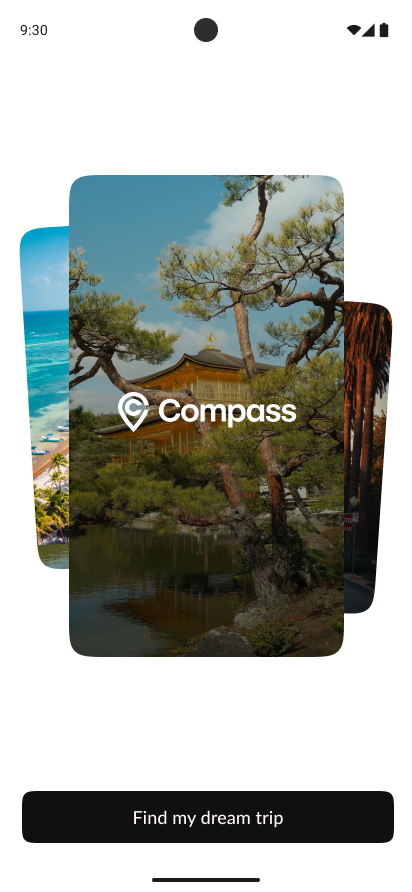

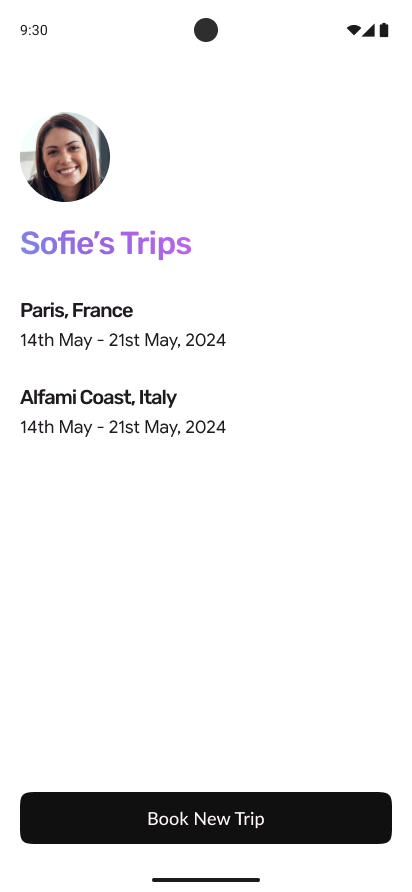

The Compass app was originally designed and built by the Firebase GenKit team.
Running the app
This app contains multiple environments.
- Development environment - This environment uses data from a JSON file, which is stored in the
assetsdirectory, and simulates developing locally.
$ cd app
$ flutter run --target lib/main_development.dart
- Staging environment - This environment uses an HTTP server to get data, simulating a real app experience. This is a "dummy" server, that has endpoints that simply return fake data. The server can be found in the
compass_app/serverdirectory. You need to run the server locally before running the Flutter application.
$ cd server
$ dart run
# => Server listening on port 8080

$ cd ../compass_app/app
$ flutter run --target lib/main_staging.dart
Integration Tests
Integration tests must be run from the app directory.
Integration tests with local data
cd app
$ flutter test integration_test/app_local_data_test.dart
Integration tests with background server and remote data
cd app
$ flutter test integration_test/app_server_data_test.dart
Integration test with auth-gated local flow
cd app
$ flutter test integration_test/app_booking_flow_test.dart
Running the tests together with flutter test integration_test will fail.
See: https://github.com/flutter/flutter/issues/101031
Part 2 Answers
1) State -> UI trace (user taps one booking item on Home)
- Tap on a booking row triggers
_Booking.onTapand navigates viaRoutes.bookingWithId. - Inside the booking
GoRoutebuilder inrouter.dart, the booking ID is parsed, theBookingViewModelis created, andviewModel.loadBooking.execute(id)is called before renderingBookingScreen. - In
booking_viewmodel.dart, the load command fetches data through the repository abstraction (BookingRepository). - In the remote implementation (
BookingRepositoryRemote.getBooking), the repository composes booking details using API calls (destinations and destination activities). - Back in the view model,
Result(Ok/Error) is handled and UI state is updated. - In
booking_screen.dart,ListenableBuilderreacts to command state, showing loading while running and body content when completed. - In
booking_body.dart, once booking data is available, header and activities are rendered.
2) Routing and auth gate
- In
router.dart,GoRouteris configured withredirectandrefreshListenable. AuthRepositoryextendsChangeNotifier, so auth changes are observable by the router.- On
login()andlogout(), the auth repo callsnotifyListeners(). - That refresh triggers
_redirect()immediately, which enforces route guards:- unauthenticated user ->
/login - authenticated user on
/login->/home - otherwise no redirect
- unauthenticated user ->
3) Data boundary
- UI/domain layers depend on repository interfaces (for example
BookingRepository) rather than direct HTTP/local services. - Remote path: repositories call
ApiClientfor network requests. - Local/dummy path: repositories read from
LocalDataService/memory-backed sources. - Provider selection happens in
dependencies.dart(providersRemotevsprovidersLocal), and each flavor main entrypoint chooses the provider set. - This design is testable because view models/use cases receive injected interfaces, so tests can supply fakes/mocks.
4) Possible enhancement
- Add API-boundary caching for read-heavy GET endpoints.
- Strategy: return cached data first, refresh in background, and invalidate with TTL/auth changes.
- Add metrics/logging to validate hit rate, latency reduction, and stale-data behavior.
app_booking_flow_test.dart
integration_test/app_booking_flow_test.dart is an end-to-end integration test that validates:
- auth-gated entry (starts logged out and lands on Login)
- login action
- full booking creation flow (search -> destination -> activity confirm)
- booking visibility after returning Home
Approach used:
- It runs on
providersLocalfor deterministic local data. - It overrides only
AuthRepositorywith a test implementation (TestAuthRepository) to simulate logged-out -> logged-in transitions while still exercising the real navigation, view models, and local repositories.
Run command:
cd app
flutter test integration_test/app_booking_flow_test.dart
Part 4 Answers
1) What was the hardest part of this codebase to understand, and how did you figure it out?
- It was the chosen state management. While it wasn't hard to decipher, all of the Flutter projects that I handled were using BLoC/Cubit pattern and so I'm more used to it. I still have yet to figure it out completely but I have a good overview. Two things. First I started with the API calls then tracing them up to the repos then VMs then to widgets and screens. Second, I checked/mapped out the builders in the widgets which is similar to the BlocBuilders in Cubit.
2) If you owned this app for the next year, what's the first thing you'd change?
- Since this app already has a solid foundation code-wise, I'll prepare for better scaling. It would be a set of changes though and not a single one. Changes would be like implementing CI/CD, more helpful logging (ideally utiilizing Firebase Crashlytics), and API resilience (timeouts, retries, etc.).
3) What three questions would you ask the team before starting?
- Do we have some technical or feature scope overview documentation?
- How's the current feedback of our app in production (from end-users and key stakeholders)?
- What are the high priority goals for the next couple of months?