
 ROC
0b35d12b74
ROC
0b35d12b74
|
2 months ago | |
|---|---|---|
| .assets/readme | 6 months ago | |
| .github | 6 months ago | |
| .vscode | 3 years ago | |
| auto | 6 months ago | |
| cmd | 6 months ago | |
| docker | 6 months ago | |
| docs | 6 months ago | |
| internal | 2 months ago | |
| mirc | 6 months ago | |
| pkg | 4 months ago | |
| proto | 3 years ago | |
| scripts | 6 months ago | |
| web | 6 months ago | |
| .dockerignore | 4 years ago | |
| .gitattributes | 3 years ago | |
| .gitignore | 1 year ago | |
| .golangci.yml | 4 years ago | |
| CHANGELOG.md | 6 months ago | |
| Dockerfile | 2 years ago | |
| Dockerfile.allinone | 3 years ago | |
| INSTALL.md | 6 months ago | |
| INSTALL_ZH.md | 6 months ago | |
| LICENSE | 4 years ago | |
| Makefile | 8 months ago | |
| README.md | 6 months ago | |
| README_ZH.md | 6 months ago | |
| ROADMAP.md | 3 years ago | |
| buf.gen.yaml | 1 year ago | |
| buf.work.yaml | 4 years ago | |
| build-allinone.sh | 3 years ago | |
| build-image.sh | 3 years ago | |
| build-release.sh | 3 years ago | |
| config.yaml.sample | 6 months ago | |
| default.pgo | 3 years ago | |
| deployed-sites.md | 6 months ago | |
| docker-compose.yaml | 2 years ago | |
| features-status.md | 2 years ago | |
| go.mod | 6 months ago | |
| go.sum | 6 months ago | |
| magefile.go | 1 year ago | |
| main.go | 3 years ago | |
README.md





PaoPao
An open-source micro-community platform built with Go and Vue.
Designed for self-hosted social products, community experiments, and customizable deployments.
Overview
PaoPao is a full-stack, open-source micro-community system. It combines a Go backend, a Vue 3 web client, and an optional Tauri desktop application, with a modular feature system for storage, search, logging, observability, and deployment strategy.
The repository is suitable for teams or individuals who want to run a community product, evaluate an extensible social platform, or build on top of an existing codebase instead of starting from scratch.
Why PaoPao
- Full-stack delivery: backend, web frontend, and desktop packaging live in one repository.
- Modular runtime features: enable different capability sets through
Featuressuites such asDefault,Develop,Demo, andSlim. - Flexible infrastructure: supports MySQL, PostgreSQL, SQLite, Redis, Meilisearch, and multiple object storage providers.
- Multiple deployment paths: run from source, Docker, Docker Compose, or all-in-one container images.
- Self-hosting friendly: configuration is file-based and operational docs are already included in the repo.
Preview
Web
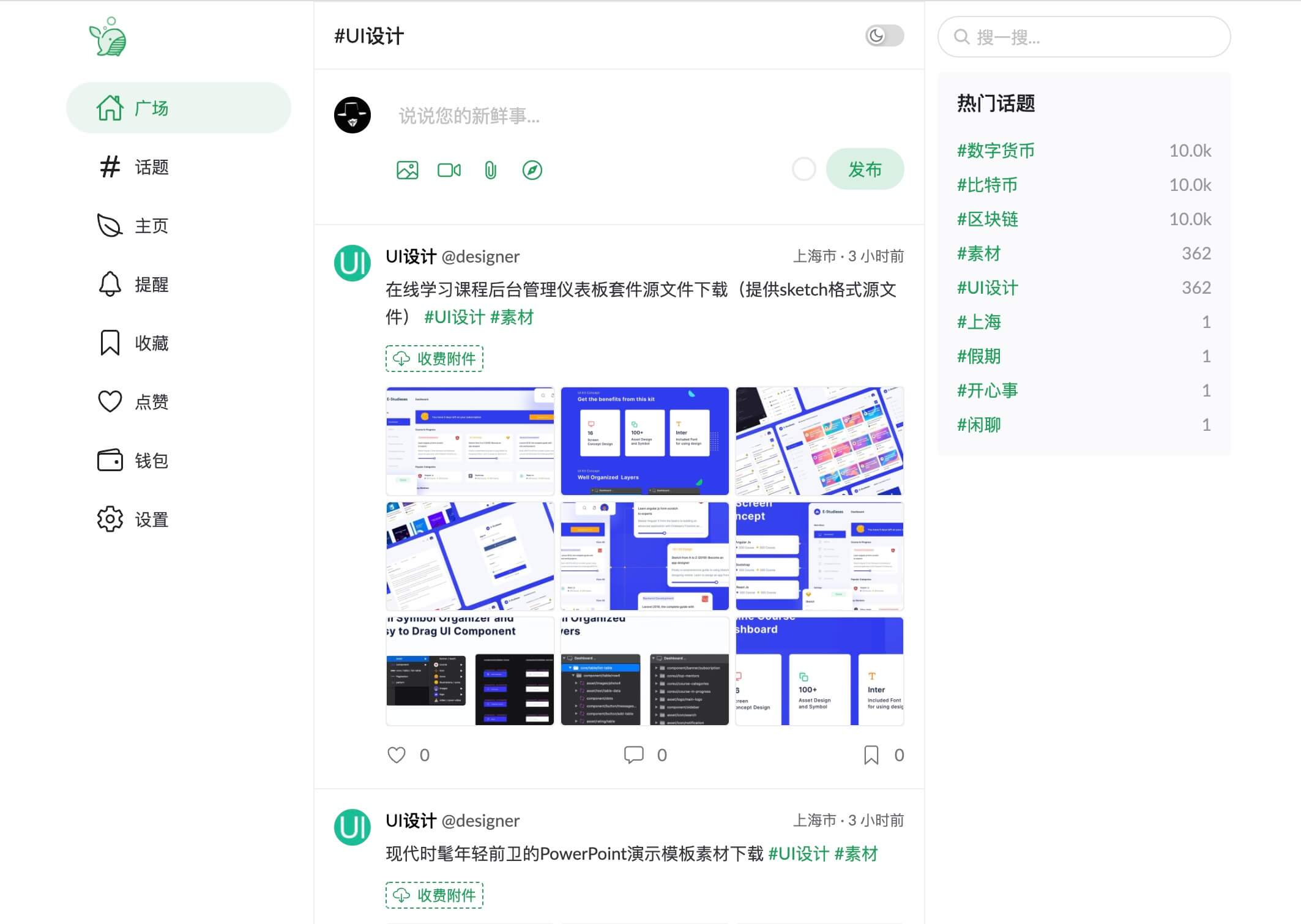
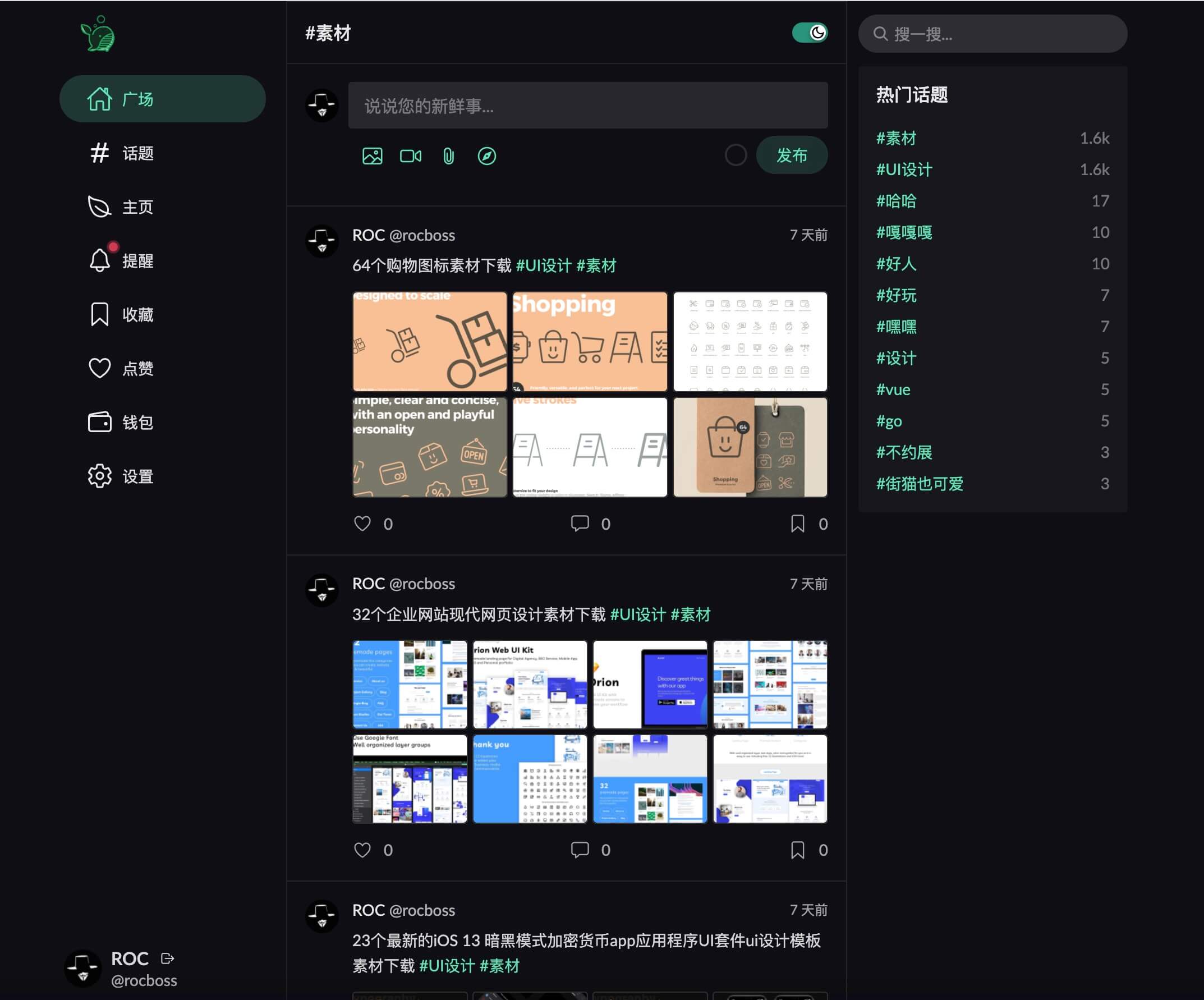
Desktop
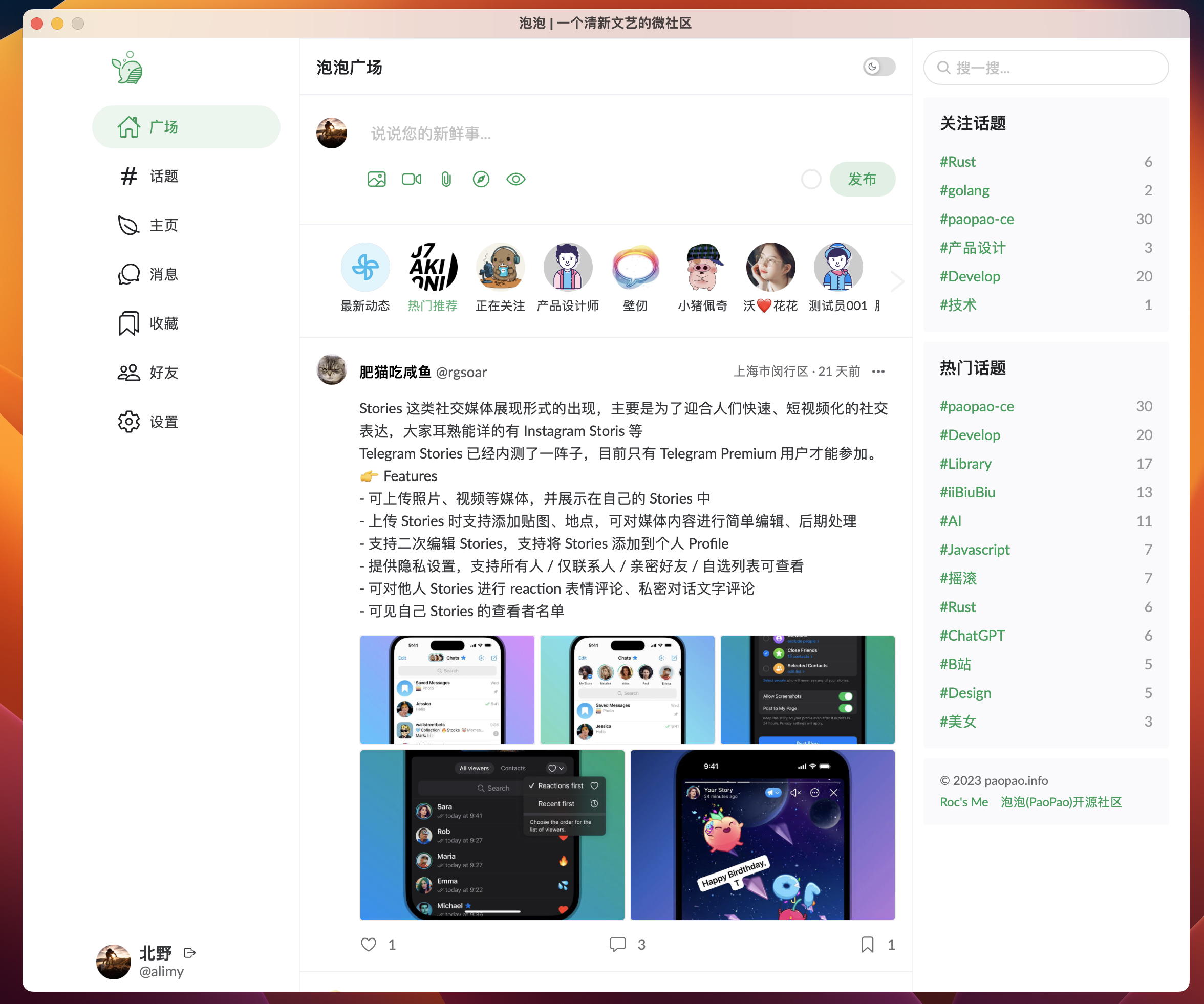
More screenshots and live behavior are available at PaoPao.
Architecture at a Glance
| Layer | Primary stack |
|---|---|
| Backend | Go, Gin, Cobra, GORM, Mir |
| Web frontend | Vue 3, Vite, Naive UI |
| Desktop client | Tauri |
| Search | Meilisearch |
| Cache | Redis |
| Object storage | Local OSS, MinIO, AliOSS, COS, Huawei OBS, S3-compatible |
| Observability | OpenTelemetry, Sentry, Pyroscope, Pprof |
Repository Layout
| Path | Purpose |
|---|---|
cmd/, internal/, pkg/ |
Backend application and shared packages |
web/ |
Vue 3 web application and Tauri desktop frontend |
docs/ |
Deployment, OpenAPI, design proposals, and related documentation |
scripts/ |
SQL bootstrap and helper assets |
config.yaml.sample |
Complete runtime configuration template |
Quick Start
Option A: Evaluate locally with Docker Compose
This is the fastest way to bring up a local environment for evaluation.
git clone https://github.com/rocboss/paopao-ce.git
cd paopao-ce
docker compose up -d
Then open:
http://localhost:8008- PaoPaohttp://localhost:7700- Meilisearchhttp://localhost:8001- RedisInsight
Option B: Develop from source
Requirements
- Go
1.24+ - Node.js
20.19+or22.12+ - MySQL
5.7+ - Redis
- Meilisearch
- Rust + Tauri prerequisites if you plan to build the desktop app
Backend
- Import
scripts/paopao-mysql.sqlinto MySQL. - Copy the sample config and adjust only the bootstrap-critical values for your environment.
- Start the backend.
cp config.yaml.sample config.yaml
make run
To build a release binary instead:
make build
To serve the embedded web UI from the Go binary, build the web assets first and run with the embed tag:
make build-web
make run TAGS='embed'
Web frontend
cd web
cp .env .env.local
yarn
yarn dev
To produce static assets:
yarn build
Desktop app
cd web
yarn tauri build
For the full installation guide, Docker build variants, desktop prerequisites, and migration notes, see INSTALL.md.
Configuration and Feature Suites
config.yaml.sample is now a minimal bootstrap template. At runtime, PaoPao loads the embedded default config first, then overlays ./custom/config.yaml or ./config.yaml if present, preferring the first file it finds.
That means the external config can stay intentionally small. In the current design:
- Keep in YAML: ports, feature selection, database, Redis, JWT, and
AdminSettings.EncryptionKey - Prefer the admin UI (
/#/admin/settings): site profile, app behavior limits, search provider settings, object-storage settings, SMS/payment settings, and other operational knobs supported by the registry - Watch apply mode: some settings are live, while others are marked restart-required in the admin page
The Features section controls which capability bundles are enabled:
Features:
  Default: ["Base", "MySQL", "Option", "LocalOSS", "LoggerFile"]
  Develop: ["Base", "MySQL", "Option", "Sms", "AliOSS", "LoggerOtlp"]
  Demo: ["Base", "MySQL", "Option", "Sms", "MinIO", "LoggerOtlp"]
  Slim: ["Base", "Sqlite3", "LocalOSS", "LoggerFile"]
  Base: ["Zinc", "Redis", "Alipay"]
  Option: ["SimpleCacheIndex"]
  Sms: "SmsJuhe"
Typical examples:
# Use the default suite
release/paopao serve

# Use only the declared develop suite
release/paopao serve --no-default-features --features develop

# Add sms on top of the default suite
release/paopao serve --features sms

# Enable features explicitly
release/paopao serve --no-default-features --features sqlite3,localoss,loggerfile,redis
For the current implementation status of each feature, see features-status.md.
Documentation Map
- INSTALL.md - installation, Docker usage, and desktop build instructions
- INSTALL_ZH.md - Chinese installation guide
- docs/README.md - documentation index
- docs/README_ZH.md - Chinese documentation index
- docs/deploy/ - deployment documentation
- docs/openapi/ - exported API documentation assets
- docs/proposal/ - design notes and feature proposals
- deployed-sites.md - known deployed instances
- ROADMAP.md - roadmap and planning notes
Branch Strategy
The project uses a staged branch model:
| Branch | Role |
|---|---|
main |
Stable production branch; bug-fix oriented |
beta |
Public testing branch |
alpha |
Internal testing branch |
dev |
Main development branch for new work |
feature/* |
Focused feature branches |
r/* |
Distribution-oriented release branches |
If you plan to contribute new functionality, target dev unless the maintainers specify otherwise.
Contributing
Pull requests are welcome. If you want to contribute:
- Fork the repository.
- Create a branch from
devfor feature work. - Keep changes focused and documented.
- Open a PR with context about the problem, approach, and verification.
If you deploy your own instance, consider adding it to deployed-sites.md.
License
Distributed under the MIT License. See LICENSE for details.