
29 KiB
အာကာသဂိမ်းတစ်ခုတည်ဆောက်ခြင်း အပိုင်း ၁: အကျဉ်းချုပ်
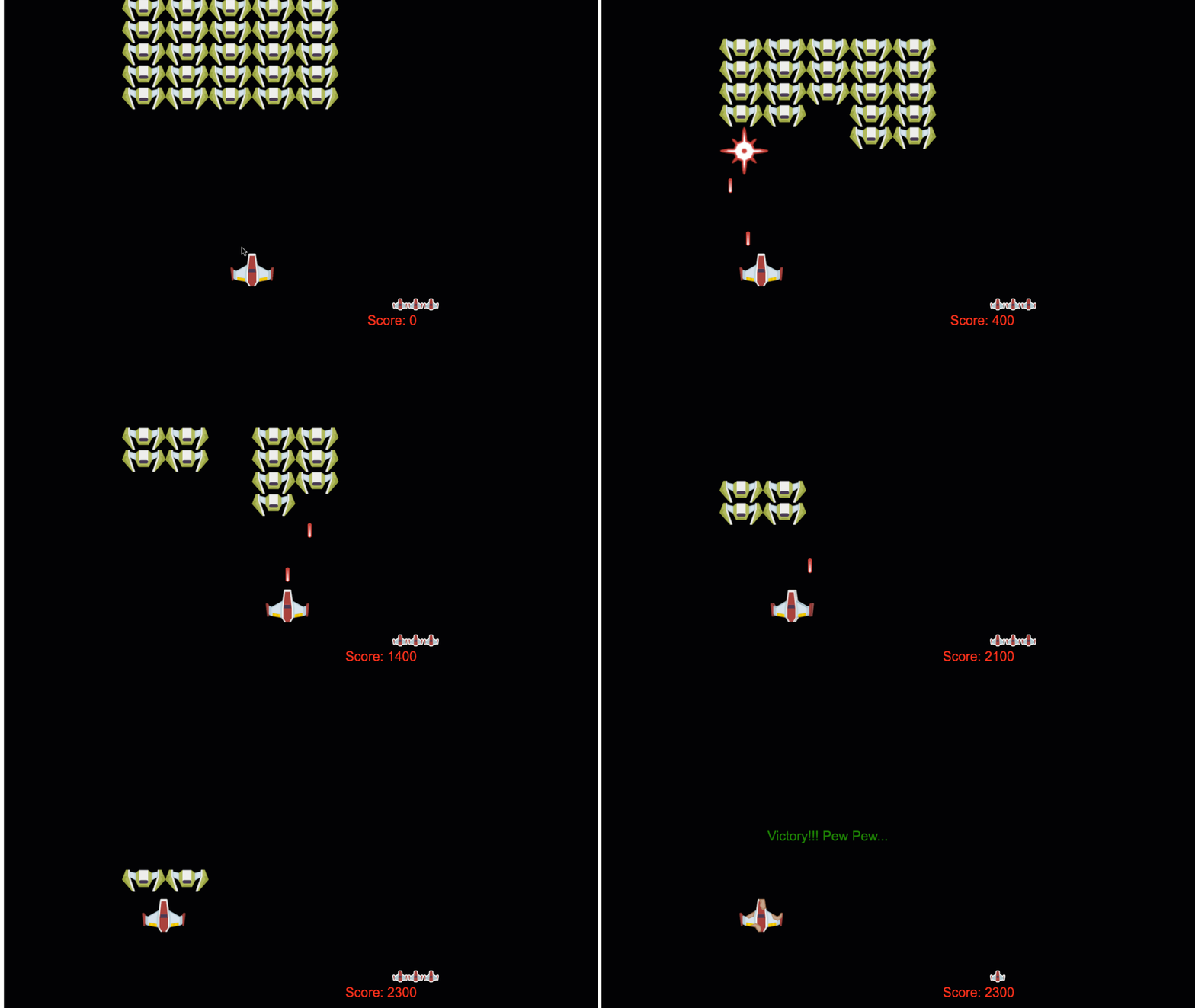
NASA ရဲ့ mission control က အာကာသပျံသန်းမှုအတွင်း စနစ်များစွာကို ကိုယ်စားပြုလုပ်သလိုပဲ၊ ကျွန်တော်တို့လည်း အစီအစဉ်တစ်ခုရဲ့ အစိတ်အပိုင်းများကို သာယာစွာပေါင်းစည်းနိုင်တဲ့ အာကာသဂိမ်းတစ်ခုကို တည်ဆောက်သွားမှာပါ။ သင်က အကောင်းဆုံးကစားနိုင်တဲ့အရာတစ်ခုကို ဖန်တီးရင်း၊ ဘယ် software project မဆို အသုံးဝင်တဲ့ အခြေခံ programming အယူအဆများကိုလည်း သင်ယူနိုင်ပါမယ်။
ကျွန်တော်တို့ code ကို စီမံခန့်ခွဲဖို့ အခြေခံနည်းလမ်းနှစ်ခုဖြစ်တဲ့ inheritance နဲ့ composition ကိုလေ့လာသွားမှာပါ။ ဒါတွေက သာမန်အယူအဆတွေမဟုတ်ဘဲ video game ကနေ banking system အထိ အားလုံးကို အခြေခံပေးတဲ့ pattern တွေဖြစ်ပါတယ်။ ထို့အပြင် pub/sub လို့ခေါ်တဲ့ ဆက်သွယ်မှုစနစ်ကိုလည်း အသုံးပြုသွားမှာဖြစ်ပြီး၊ spacecraft တွေမှာ အသုံးပြုတဲ့ communication network လိုပဲ အစိတ်အပိုင်းတွေကို အချင်းချင်း အချက်အလက်မျှဝေဖို့ အကူအညီပေးမှာပါ။
ဒီ series ရဲ့ အဆုံးမှာ သင်ဟာ game, web application, ဒါမှမဟုတ် software system မည်သည့်အမျိုးအစားမဆို တည်ဆောက်နိုင်တဲ့ နည်းလမ်းကို နားလည်သွားမှာပါ။
မိန့်ခွန်းမတိုင်မီ စမ်းမေးခွန်း
မိန့်ခွန်းမတိုင်မီ စမ်းမေးခွန်း
Game Development မှာ Inheritance နဲ့ Composition
Project တွေဟာ အဆင့်ဆင့်တိုးတက်လာတာနဲ့အမျှ code ကို စီမံခန့်ခွဲဖို့ အရေးကြီးလာပါတယ်။ အလွယ်တကူရေးသားထားတဲ့ script တစ်ခုဟာ structure မရှိရင် maintain လုပ်ဖို့ ခက်ခဲလာနိုင်ပါတယ်။ Apollo mission တွေဟာ အစိတ်အပိုင်းထောင်ပေါင်းများစွာကို ညှိနှိုင်းဖို့ အလွန်သေချာစွာ စီမံခန့်ခွဲခဲ့သလိုပဲ။
ကျွန်တော်တို့ code ကို စီမံခန့်ခွဲဖို့ အခြေခံနည်းလမ်းနှစ်ခုဖြစ်တဲ့ inheritance နဲ့ composition ကိုလေ့လာသွားမှာပါ။ တစ်ခုချင်းစီမှာ အားသာချက်တွေရှိပြီး၊ အခြေအနေတစ်ခုချင်းစီအတွက် သင့်တော်တဲ့နည်းလမ်းကို ရွေးချယ်နိုင်ဖို့ နားလည်ထားရပါမယ်။ ကျွန်တော်တို့ရဲ့ အာကာသဂိမ်းကို အသုံးပြုပြီး ဒီအယူအဆတွေကို ဖော်ပြသွားမှာဖြစ်ပြီး၊ hero, enemy, power-up, နဲ့ အခြား object တွေဟာ အကျိုးရှိရှိ အချင်းချင်းပေါင်းစည်းနိုင်ဖို့ လုပ်ဆောင်သွားမှာပါ။
✅ အလွန်ကျော်ကြားတဲ့ programming စာအုပ်တစ်အုပ်ဟာ design patterns နဲ့ဆိုင်ပါတယ်။
Game တစ်ခုမှာ game objects တွေရှိပါတယ် – သင့် game world ကို ဖြည့်စွက်ပေးတဲ့ interactive elements တွေပါ။ Hero, enemy, power-up, နဲ့ visual effect တွေဟာ game objects တွေဖြစ်ပါတယ်။ တစ်ခုချင်းစီဟာ x နဲ့ y value တွေကို အသုံးပြုပြီး screen coordinate တစ်ခုမှာ ရှိပါတယ်၊ coordinate plane ပေါ်မှာ point တွေကို plot လုပ်သလိုပဲ။
ဒီ object တွေဟာ အပြင်ပန်းအနေအထားကွဲပြားမှုရှိပေမယ့် အခြေခံအပြုအမူတွေကို မျှဝေတတ်ပါတယ်။
- တစ်နေရာမှာရှိတယ် – Object တစ်ခုချင်းစီမှာ x နဲ့ y coordinate တွေရှိပြီး၊ game ဟာ အဲ့ဒီ object ကို ဘယ်မှာ draw လုပ်ရမလဲ သိနိုင်ပါတယ်။
- အများစုဟာ ရွေ့လျားနိုင်တယ် – Hero တွေပြေးတယ်၊ enemy တွေလိုက်တယ်၊ bullet တွေ screen ပေါ်မှာ ပျံတယ်။
- သက်တမ်းရှိတယ် – တချို့ဟာ အမြဲတမ်းရှိတယ်၊ တချို့ (ဥပမာ explosion) ဟာ အချိန်တိုအတွင်းပေါ်လာပြီး ပျောက်သွားတတ်တယ်။
- တုံ့ပြန်တယ် – အရာတွေတိုက်မိတဲ့အခါ၊ power-up တွေကို စုဆောင်းတယ်၊ health bar တွေ update လုပ်တယ်။
✅ Pac-Man လို game တစ်ခုကို စဉ်းစားကြည့်ပါ။ ဒီ game မှာ အပေါ်မှာဖော်ပြထားတဲ့ object အမျိုးအစားလေးမျိုးကို သင်တွေ့နိုင်ပါသလား။
အပြုအမူကို Code မှာဖော်ပြခြင်း
Game object တွေဟာ မျှဝေတဲ့ အပြုအမူတွေကို နားလည်ပြီးရင်၊ JavaScript မှာ ဒီအပြုအမူတွေကို ဘယ်လို implement လုပ်မလဲ လေ့လာကြည့်ရအောင်။ Object behavior ကို class တွေ ဒါမှမဟုတ် individual object တွေမှာ methods တွေကို ထည့်သွင်းပြီး ဖော်ပြနိုင်ပါတယ်၊ နည်းလမ်းအမျိုးမျိုးလည်း ရွေးချယ်နိုင်ပါတယ်။
Class-Based Approach
Class နဲ့ inheritance တွေဟာ game object တွေကို စီမံခန့်ခွဲဖို့ structured approach တစ်ခုပေးပါတယ်။ Carl Linnaeus ရဲ့ taxonomic classification system လိုပဲ၊ common properties တွေပါဝင်တဲ့ base class တစ်ခုကို စတင်ဖန်တီးပြီး၊ အထူးစွမ်းရည်တွေကို ထည့်သွင်းတဲ့ specialized class တွေကို ဖန်တီးနိုင်ပါတယ်။
✅ Inheritance ဟာ နားလည်ဖို့ အရေးကြီးတဲ့ အယူအဆတစ်ခုပါ။ MDN ရဲ့ inheritance အကြောင်းဆောင်းပါး မှာပိုမိုလေ့လာပါ။
Game object တွေကို class နဲ့ inheritance အသုံးပြုပြီး ဘယ်လို implement လုပ်နိုင်မလဲဆိုတာကို ကြည့်ရအောင်။
// Step 1: Create the base GameObject class
class GameObject {
  constructor(x, y, type) {
    this.x = x;
    this.y = y;
    this.type = type;
  }
}
ဒီကို အဆင့်ဆင့်ရှင်းပြရအောင်:
- Game object တစ်ခုချင်းစီ အသုံးပြုနိုင်တဲ့ basic template တစ်ခုကို ဖန်တီးထားပါတယ်။
- Constructor ဟာ object ရဲ့နေရာ (
x,y) နဲ့ အမျိုးအစားကို သိမ်းဆည်းထားပါတယ်။ - ဒီဟာက သင့် game object တွေ အားလုံးအတွက် အခြေခံအဆောက်အအုံဖြစ်လာပါတယ်။
// Step 2: Add movement capability through inheritance
class Movable extends GameObject {
  constructor(x, y, type) {
    super(x, y, type); // Call parent constructor
  }

  // Add the ability to move to a new position
  moveTo(x, y) {
    this.x = x;
    this.y = y;
  }
}
အပေါ်မှာ:
- GameObject class ကို extended လုပ်ပြီး ရွေ့လျားနိုင်စွမ်းကို ထည့်သွင်းထားပါတယ်။
super()ကို အသုံးပြုပြီး parent constructor ကို ခေါ်ယူပြီး inherited properties တွေကို initialize လုပ်ထားပါတယ်။- Object ရဲ့နေရာကို update လုပ်ပေးတဲ့
moveTo()method ကို ထည့်သွင်းထားပါတယ်။
// Step 3: Create specific game object types
class Hero extends Movable {
  constructor(x, y) {
    super(x, y, 'Hero'); // Set type automatically
  }
}

class Tree extends GameObject {
  constructor(x, y) {
    super(x, y, 'Tree'); // Trees don't need movement
  }
}

// Step 4: Use your game objects
const hero = new Hero(0, 0);
hero.moveTo(5, 5); // Hero can move!

const tree = new Tree(10, 15);
// tree.moveTo() would cause an error - trees can't move
ဒီအယူအဆတွေကို နားလည်ခြင်း:
- အထူး object type တွေကို ဖန်တီးပြီး သင့်တော်တဲ့ behavior တွေကို inherit လုပ်နိုင်ပါတယ်။
- Inheritance က feature တွေကို ရွေးချယ်ပြီး ထည့်သွင်းနိုင်စွမ်းပေးပါတယ်။
- Hero တွေ ရွေ့လျားနိုင်ပြီး tree တွေ stationary ဖြစ်နေတဲ့အရာကို ဖော်ပြပါတယ်။
- Class hierarchy က မသင့်တော်တဲ့ အပြုအမူတွေကို ကာကွယ်ပေးပါတယ်။
✅ Pac-Man hero (ဥပမာ Inky, Pinky, Blinky) တစ်ယောက်ကို JavaScript မှာ ဘယ်လိုရေးမလဲ ပြန်စဉ်းစားကြည့်ပါ။
Composition Approach
Composition ဟာ modular design philosophy ကို လိုက်နာပါတယ်၊ spacecraft တွေကို interchangeable components တွေဖြင့် ဖန်တီးတဲ့ engineer တွေလိုပဲ။ Parent class မှ inheritance လုပ်တာမဟုတ်ဘဲ၊ အထူး behavior တွေကို ပေါင်းစည်းပြီး object တွေကို လိုအပ်တဲ့ functionality တွေကိုပဲ ထည့်သွင်းနိုင်ပါတယ်။ ဒီနည်းလမ်းဟာ flexibility ပေးပြီး rigid hierarchical constraints တွေမရှိပါဘူး။
// Step 1: Create base behavior objects
const gameObject = {
  x: 0,
  y: 0,
  type: ''
};

const movable = {
  moveTo(x, y) {
    this.x = x;
    this.y = y;
  }
};
ဒီ code ကဘာလုပ်သလဲဆိုရင်:
gameObjectbase ကို position နဲ့ type properties တွေဖြင့် သတ်မှတ်ထားပါတယ်။movablebehavior object ကို ဖန်တီးပြီး ရွေ့လျားနိုင်စွမ်းကို ထည့်သွင်းထားပါတယ်။- Position data နဲ့ movement logic ကို ခွဲခြားထားပါတယ်။
// Step 2: Compose objects by combining behaviors
const movableObject = { ...gameObject, ...movable };

// Step 3: Create factory functions for different object types
function createHero(x, y) {
  return {
    ...movableObject,
    x,
    y,
    type: 'Hero'
  };
}

function createStatic(x, y, type) {
  return {
    ...gameObject,
    x,
    y,
    type
  };
}
အပေါ်မှာ:
- Base object properties တွေကို movement behavior နဲ့ ပေါင်းစည်းထားပါတယ်။
- Factory function တွေကို ဖန်တီးပြီး customized object တွေကို ပြန်ပေးပါတယ်။
- Rigid class hierarchy မရှိဘဲ flexible object creation ကို ဖန်တီးထားပါတယ်။
- Object တွေကို လိုအပ်တဲ့ behavior တွေကိုပဲ ပေးနိုင်ပါတယ်။
// Step 4: Create and use your composed objects
const hero = createHero(10, 10);
hero.moveTo(5, 5); // Works perfectly!

const tree = createStatic(0, 0, 'Tree');
// tree.moveTo() is undefined - no movement behavior was composed
သတိထားရမယ့်အချက်တွေ:
- Object တွေကို inheritance လုပ်တာမဟုတ်ဘဲ behavior တွေကို ပေါင်းစည်းထားပါတယ်။
- Rigid inheritance hierarchy တွေထက် ပိုပြီး flexible ဖြစ်ပါတယ်။
- Object တွေကို လိုအပ်တဲ့ feature တွေကိုပဲ ပေးနိုင်ပါတယ်။
- Modern JavaScript spread syntax ကို အသုံးပြုပြီး object combination ကို သန့်ရှင်းစွာလုပ်ထားပါတယ်။
**Which Pattern Should You Choose?**

> 💡 **Pro Tip**: Both patterns have their place in modern JavaScript development. Classes work well for clearly defined hierarchies, while composition shines when you need maximum flexibility.
>
**Here's when to use each approach:**
- **Choose** inheritance when you have clear "is-a" relationships (a Hero *is-a* Movable object)
- **Select** composition when you need "has-a" relationships (a Hero *has* movement abilities)
- **Consider** your team's preferences and project requirements
- **Remember** that you can mix both approaches in the same application

## Communication Patterns: The Pub/Sub System

As applications grow complex, managing communication between components becomes challenging. The publish-subscribe pattern (pub/sub) solves this problem using principles similar to radio broadcasting – one transmitter can reach multiple receivers without knowing who's listening.

Consider what happens when a hero takes damage: the health bar updates, sound effects play, visual feedback appears. Rather than coupling the hero object directly to these systems, pub/sub allows the hero to broadcast a "damage taken" message. Any system that needs to respond can subscribe to this message type and react accordingly.

✅ **Pub/Sub** stands for 'publish-subscribe'

### Understanding the Pub/Sub Architecture

The pub/sub pattern keeps different parts of your application loosely coupled, meaning they can work together without being directly dependent on each other. This separation makes your code more maintainable, testable, and flexible to changes.

**The key players in pub/sub:**
- **Messages** – Simple text labels like `'PLAYER_SCORED'` that describe what happened (plus any extra info)
- **Publishers** – The objects that shout out "Something happened!" to anyone who's listening
- **Subscribers** – The objects that say "I care about that event" and react when it happens
- **Event System** – The middleman that makes sure messages get to the right listeners

### Building an Event System

Let's create a simple but powerful event system that demonstrates these concepts:

```javascript
// Step 1: Create the EventEmitter class
class EventEmitter {
  constructor() {
    this.listeners = {}; // Store all event listeners
  }

  // Register a listener for a specific message type
  on(message, listener) {
    if (!this.listeners[message]) {
      this.listeners[message] = [];
    }
    this.listeners[message].push(listener);
  }

  // Send a message to all registered listeners
  emit(message, payload = null) {
    if (this.listeners[message]) {
      this.listeners[message].forEach(listener => {
        listener(message, payload);
      });
    }
  }
}
ဒီမှာ ဘာဖြစ်သွားလဲဆိုရင်:
- Event management system တစ်ခုကို simple class အသုံးပြုပြီး ဖန်တီးထားပါတယ်။
- Listener တွေကို message type အလိုက် စီစဉ်ထားပါတယ်။
on()method ကို အသုံးပြုပြီး listener အသစ်တွေကို register လုပ်ထားပါတယ်။- Message တွေကို emit method အသုံးပြုပြီး listener တွေကို broadcast လုပ်ထားပါတယ်။
- Optional data payloads ကို အသုံးပြုပြီး သက်ဆိုင်ရာအချက်အလက်တွေကို ပေးပို့နိုင်ပါတယ်။
အားလုံးကိုပေါင်းစည်းခြင်း: အကောင်အထည်ဖော်မှု ဥပမာ
အိုကေ၊ ဒီအရာကို လက်တွေ့လုပ်ဆောင်ကြည့်ရအောင်! Pub/Sub ရဲ့ သန့်ရှင်းပြီး flexible ဖြစ်တဲ့ nature ကို ပြသတဲ့ ရွေ့လျားမှုစနစ်တစ်ခုကို တည်ဆောက်ကြည့်ရအောင်:
// Step 1: Define your message types
const Messages = {
  HERO_MOVE_LEFT: 'HERO_MOVE_LEFT',
  HERO_MOVE_RIGHT: 'HERO_MOVE_RIGHT',
  ENEMY_SPOTTED: 'ENEMY_SPOTTED'
};

// Step 2: Create your event system and game objects
const eventEmitter = new EventEmitter();
const hero = createHero(0, 0);
ဒီ code ကဘာလုပ်သလဲဆိုရင်:
- Message name တွေမှာ typo မဖြစ်စေရန် constants object ကို သတ်မှတ်ထားပါတယ်။
- Communication အားလုံးကို handle လုပ်ပေးမယ့် event emitter instance ကို ဖန်တီးထားပါတယ်။
- Hero object ကို starting position မှာ initialize လုပ်ထားပါတယ်။
// Step 3: Set up event listeners (subscribers)
eventEmitter.on(Messages.HERO_MOVE_LEFT, () => {
  hero.moveTo(hero.x - 5, hero.y);
  console.log(`Hero moved to position: ${hero.x}, ${hero.y}`);
});

eventEmitter.on(Messages.HERO_MOVE_RIGHT, () => {
  hero.moveTo(hero.x + 5, hero.y);
  console.log(`Hero moved to position: ${hero.x}, ${hero.y}`);
});
အပေါ်မှာ:
- Movement message တွေကို တုံ့ပြန်မယ့် event listener တွေကို register လုပ်ထားပါတယ်။
- Movement direction အရ hero ရဲ့နေရာကို update လုပ်ထားပါတယ်။
- Hero ရဲ့နေရာပြောင်းလဲမှုတွေကို console logging ထည့်သွင်းထားပါတယ်။
- Movement logic ကို input handling ကနေ ခွဲထုတ်ထားပါတယ်။
// Step 4: Connect keyboard input to events (publishers)
window.addEventListener('keydown', (event) => {
  switch(event.key) {
    case 'ArrowLeft':
      eventEmitter.emit(Messages.HERO_MOVE_LEFT);
      break;
    case 'ArrowRight':
      eventEmitter.emit(Messages.HERO_MOVE_RIGHT);
      break;
  }
});
ဒီအယူအဆတွေကို နားလည်ခြင်း:
- Keyboard input ကို game event တွေနဲ့ ချိတ်ဆက်ထားပါတယ်။
- Input system ဟာ game object တွေနဲ့ တိုက်ရိုက်မဆက်နွယ်ဘဲ ဆက်သွယ်နိုင်စွမ်းပေးပါတယ်။
- Keyboard event တွေကို တစ်ခုထက်ပိုတဲ့ system တွေ တုံ့ပြန်နိုင်ပါတယ်။
- Key binding တွေကို ပြောင်းလဲဖို့ ဒါမှမဟုတ် input method အသစ်တွေထည့်သွင်းဖို့ လွယ်ကူစေပါတယ်။
💡 Pro Tip: ဒီ pattern ရဲ့အလှတရားက flexibility ပါ! Sound effect, screen shake, ဒါမှမဟုတ် particle effect တွေကို event listener အသစ်တွေထည့်ပြီး အလွယ်တကူထည့်နိုင်ပါတယ် – ရှိပြီးသား keyboard ဒါမှမဟုတ် movement code ကို ပြောင်းစရာမလိုပါဘူး။
ဒီနည်းလမ်းကို သင်ကြိုက်မယ့်အကြောင်းရင်း:
- Feature အသစ်တွေကို အလွယ်တကူထည့်နိုင်တယ် – သင့်အကြိုက် event တွေကိုသာ နားထောင်လိုက်ပါ။
- အရာတွေများစွာဟာ တစ်ခုတည်းသော event ကို တုံ့ပြန်နိုင်တယ်။
- Testing လုပ်ရတာ အလွန်လွယ်ကူတယ်၊ အစိတ်အပိုင်းတစ်ခုချင်းစီဟာ အချင်းချင်း သီးသန့်အလုပ်လုပ်နိုင်တယ်။
- တစ်ခုခုချို့ယွင်းရင်၊ ဘယ်နေရာမှာပြဿနာရှိတယ်ဆိုတာ အလွယ်တကူသိနိုင်တယ်။
Pub/Sub Pattern က ဘာကြောင့် အကျိုးရှိစွာအလုပ်လုပ်နိုင်သလဲ
Application တွေဟာ အဆင့်ဆင့်တိုးတက်လာတာနဲ့အမျှ pub/sub pattern က သန့်ရှင်းမှုကို ထိန်းသိမ်းပေးနိုင်ပါတယ်။ Enemy တွေ၊ dynamic UI update တွေ၊ ဒါမှမဟုတ် sound system တွေကို စီမံခန့်ခွဲတဲ့အခါမှာ pattern ဟာ အဆင့်အတန်းတိုးလာတာနဲ့အမျှ architecture ကို ပြောင်းလဲစရာမလိုဘဲ handle လုပ်နိုင်ပါတယ်။ Feature အသစ်တွေဟာ ရှိပြီးသား event system ထဲကို အလွယ်တကူ ထည့်သွင်းနိုင်ပြီး၊ ရှိပြီးသား functionality ကို မထိခိုက်ပါဘူး။
⚠️ Common Mistake: Message type တွေကို အစောပိုင်းမှာ အလွန်သေးငယ်တဲ့ category တွေဖြင့် ဖန်တီးမထားပါနဲ့။ အကျယ်အဝန်း category တွေကို စတင်အသုံးပြုပြီး၊ သင့် game ရဲ့လိုအပ်ချက်တွေ ပိုမိုရှင်းလာတာနဲ့အမျှ refine လုပ်ပါ။
လိုက်နာသင့်တဲ့အကောင်းဆုံးအချက်များ:
- Message တွေကို logical category တွေထဲမှာ စုစည်းထားပါ။
- ဘာဖြစ်ပျက်တယ်ဆိုတာ ရှင်းလင်းတဲ့နာမည်တွေကို အသုံးပြုပါ။
- Message payload တွေကို ရိုးရှင်းပြီး အဓိကအချက်အလက်များသာပါစေပါ။
- Message type တွေကို documentation လုပ်ပြီး အဖွဲ့လိုက်ပေါ်မူတည်ပြီး အလုပ်လုပ်ပါ။
GitHub Copilot Agent Challenge 🚀
Agent mode ကို အသုံးပြုပြီး အောက်ပါ challenge ကို ပြီးမြောက်ပါစေ:
ဖော်ပြချက်: Inheritance နဲ့ pub/sub pattern နှစ်ခုလုံးကို အသုံးပြုပြီး simple game object system တစ်ခုကို ဖန်တီးပါ။ Object တွေဟာ event တွေကို တိုက်ရိုက်မသိဘဲ အချင်းချင်းဆက်သွယ်နိုင်တဲ့ basic game တစ်ခုကို implement လုပ်ပါ။
Prompt: အောက်ပါလိုအပ်ချက်တွေပါဝင်တဲ့ JavaScript game system တစ်ခုကို ဖန်တီးပါ: 1) x, y coordinate နဲ့ type property ပါဝင်တဲ့ base GameObject class တစ်ခုဖန်တီးပါ။ 2) GameObject ကို extend လုပ်ပြီး ရွေ့လျားနိုင်တဲ့ Hero class တစ်ခုဖန်တီးပါ။ 3) GameObject ကို extend လုပ်ပြီး Hero ကိုလိုက်နိုင်တဲ့ Enemy class တစ်ခုဖန်တီးပါ။ 4) Pub/Sub pattern အတွက် EventEmitter class တစ်ခုကို implement လုပ်ပါ။ 5) Hero ရွေ့လျားတဲ့အခါ၊ အနီးအနားမှာရှိတဲ့ enemy တွေ HERO_MOVED event ကိုရရှိပြီး Hero ကိုလိုက်နိုင်အောင် event listener တွေကို setup လုပ်ပါ။ Object တွေကြား communication ကို console.log statement တွေဖြင့် ပြပါ။
[Agent mode](https://code.visualstudio.com/blogs/2025/02/24/
အကြောင်းကြားချက်:
ဤစာရွက်စာတမ်းကို AI ဘာသာပြန်ဝန်ဆောင်မှု Co-op Translator ကို အသုံးပြု၍ ဘာသာပြန်ထားပါသည်။ ကျွန်ုပ်တို့သည် တိကျမှုအတွက် ကြိုးစားနေသော်လည်း အလိုအလျောက် ဘာသာပြန်မှုများတွင် အမှားများ သို့မဟုတ် မတိကျမှုများ ပါဝင်နိုင်သည်ကို သတိပြုပါ။ မူရင်းဘာသာစကားဖြင့် ရေးသားထားသော စာရွက်စာတမ်းကို အာဏာတရ အရင်းအမြစ်အဖြစ် သတ်မှတ်သင့်ပါသည်။ အရေးကြီးသော အချက်အလက်များအတွက် လူ့ဘာသာပြန်ပညာရှင်များကို အသုံးပြုရန် အကြံပြုပါသည်။ ဤဘာသာပြန်မှုကို အသုံးပြုခြင်းမှ ဖြစ်ပေါ်လာသော အလွဲအမှားများ သို့မဟုတ် အနားယူမှုများအတွက် ကျွန်ုပ်တို့သည် တာဝန်မယူပါ။