[](https://github.com/microsoft/Web-Dev-For-Beginners/blob/master/LICENSE)
[](https://GitHub.com/microsoft/Web-Dev-For-Beginners/graphs/contributors/)
[](https://GitHub.com/microsoft/Web-Dev-For-Beginners/issues/)
[](https://GitHub.com/microsoft/Web-Dev-For-Beginners/pulls/)
[](http://makeapullrequest.com)
[](https://GitHub.com/microsoft/Web-Dev-For-Beginners/watchers/)
[](https://GitHub.com/microsoft/Web-Dev-For-Beginners/network/)
[](https://GitHub.com/microsoft/Web-Dev-For-Beginners/stargazers/)
[](https://discord.gg/nTYy5BXMWG)
# 新手入門網頁開發課程
透過微軟雲端推廣團隊帶來的為期12週綜合課程,學習網頁開發的基礎知識。這24堂課會深入探討JavaScript、CSS與HTML,並且透過各種動手專案,例如微型生態瓶、瀏覽器擴充功能以及太空遊戲。參與小測驗、討論與實作作業。運用我們有效的專案導向教學法,提升你的技能並優化知識吸收。今天就開始你的程式設計旅程吧!
加入 Azure AI Foundry Discord 社群
[](https://discord.gg/nTYy5BXMWG)
開始使用這些資源的步驟如下:
1. **Fork 該儲存庫**:點擊 [](https://GitHub.com/microsoft/Web-Dev-For-Beginners/fork)
2. **Clone 該儲存庫**: `git clone https://github.com/microsoft/Web-Dev-For-Beginners.git`
3. [**加入 Azure AI Foundry Discord,與專家及其他開發者交流合作**](https://discord.com/invite/ByRwuEEgH4)
### 🌐 多語言支援
#### 透過 GitHub Action 支援(自動且保持最新)
[阿拉伯文](../ar/README.md) | [孟加拉文](../bn/README.md) | [保加利亞文](../bg/README.md) | [緬甸語](../my/README.md) | [中文(簡體)](../zh-CN/README.md) | [中文(繁體,香港)](../zh-HK/README.md) | [中文(繁體,澳門)](../zh-MO/README.md) | [中文(繁體,台灣)](./README.md) | [克羅埃西亞文](../hr/README.md) | [捷克文](../cs/README.md) | [丹麥文](../da/README.md) | [荷蘭文](../nl/README.md) | [愛沙尼亞文](../et/README.md) | [芬蘭文](../fi/README.md) | [法文](../fr/README.md) | [德文](../de/README.md) | [希臘文](../el/README.md) | [希伯來文](../he/README.md) | [印地文](../hi/README.md) | [匈牙利文](../hu/README.md) | [印尼文](../id/README.md) | [義大利文](../it/README.md) | [日文](../ja/README.md) | [卡納達文](../kn/README.md) | [高棉文](../km/README.md) | [韓文](../ko/README.md) | [立陶宛文](../lt/README.md) | [馬來文](../ms/README.md) | [馬拉雅拉姆文](../ml/README.md) | [馬拉地文](../mr/README.md) | [尼泊爾文](../ne/README.md) | [奈及利亞派金語](../pcm/README.md) | [挪威文](../no/README.md) | [波斯文(法爾西語)](../fa/README.md) | [波蘭文](../pl/README.md) | [葡萄牙文(巴西)](../pt-BR/README.md) | [葡萄牙文(葡萄牙)](../pt-PT/README.md) | [旁遮普文(古魯穆奇體)](../pa/README.md) | [羅馬尼亞文](../ro/README.md) | [俄文](../ru/README.md) | [塞爾維亞文(西里爾字母)](../sr/README.md) | [斯洛伐克文](../sk/README.md) | [斯洛文尼亞文](../sl/README.md) | [西班牙文](../es/README.md) | [斯瓦希里文](../sw/README.md) | [瑞典文](../sv/README.md) | [他加祿文(菲律賓語)](../tl/README.md) | [坦米爾文](../ta/README.md) | [泰盧固文](../te/README.md) | [泰文](../th/README.md) | [土耳其文](../tr/README.md) | [烏克蘭文](../uk/README.md) | [烏爾都文](../ur/README.md) | [越南文](../vi/README.md)
> **想要本機複製?**
>
> 此儲存庫包含50多種語言的翻譯,顯著增加下載大小。想要不含翻譯的複製,可以使用稀疏檢出:
>
> **Bash / macOS / Linux:**
> ```bash
> git clone --filter=blob:none --sparse https://github.com/microsoft/Web-Dev-For-Beginners.git
> cd Web-Dev-For-Beginners
> git sparse-checkout set --no-cone '/*' '!translations' '!translated_images'
> ```
>
> **CMD (Windows):**
> ```cmd
> git clone --filter=blob:none --sparse https://github.com/microsoft/Web-Dev-For-Beginners.git
> cd Web-Dev-For-Beginners
> git sparse-checkout set --no-cone "/*" "!translations" "!translated_images"
> ```
>
> 這會讓你快速下載所需完成課程的所有內容。
**若你希望新增其他翻譯語言,支援語言列表見[此處](https://github.com/Azure/co-op-translator/blob/main/getting_started/supported-languages.md)**
[](https://open.vscode.dev/microsoft/Web-Dev-For-Beginners)
#### 🧑🎓 _你是學生嗎?_
請造訪[學生中心頁面](https://docs.microsoft.com/learn/student-hub/?WT.mc_id=academic-77807-sagibbon),你會找到初學資源、學生套件,甚至取得免費證書憑證的方式。這是你想要收藏並時常關注的網頁,因為我們會每月更換內容。
### 📣 公告 - 新增 GitHub Copilot Agent 模式挑戰任務!
新增挑戰任務,請在多數章節中尋找「GitHub Copilot Agent Challenge 🚀」。這是使用 GitHub Copilot 與 Agent 模式完成的新挑戰。如果你從未使用過 Agent 模式,它不僅能生成文字,還可建立與編輯檔案、執行指令等等。
### 📣 公告 - _新增使用生成式 AI 的專案_
新 AI 助理專案已新增,請查看該[專案](./9-chat-project/README.md)
### 📣 公告 - _新推出 JavaScript 生成式 AI 課程_
別錯過我們全新的生成式 AI 課程!
請造訪 [https://aka.ms/genai-js-course](https://aka.ms/genai-js-course) 開始學習!
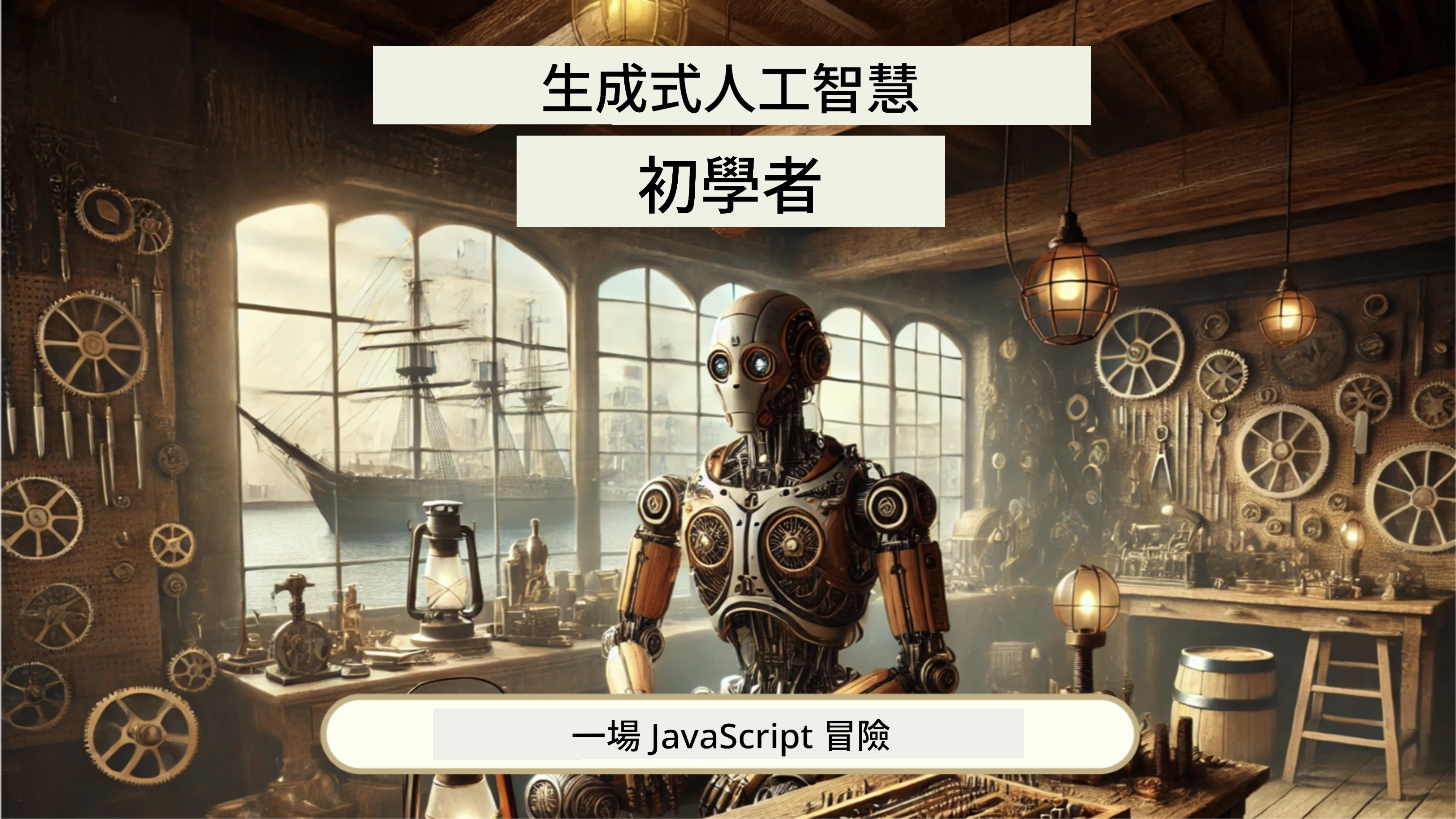
- 課程涵蓋從基礎到 RAG(檢索增強生成)
- 利用生成式 AI 與我們的伴隨應用互動歷史人物
- 有趣且引人入勝的敘事,你將穿越時空!
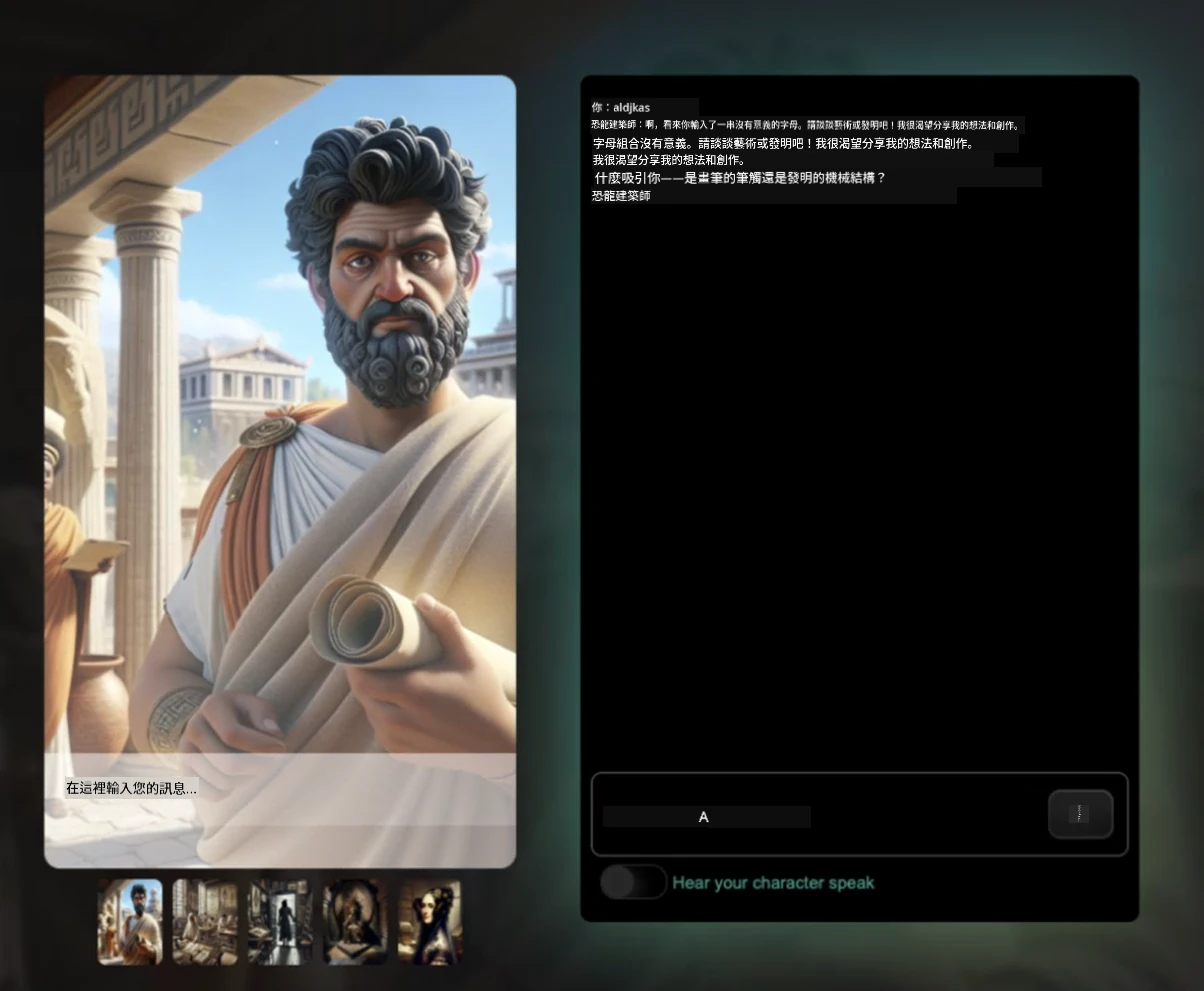
每課皆包含一項作業、知識測試與挑戰,引導你學習以下主題:
- 提示及提示工程
- 文字與圖像應用程式生成
- 搜尋應用程式
請造訪 [https://aka.ms/genai-js-course](https://aka.ms/genai-js-course) 開始學習!
## 🌱 開始使用
> 老師們,我們提供 [使用此課程的一些建議](for-teachers.md)。非常歡迎您在[討論區](https://github.com/microsoft/Web-Dev-For-Beginners/discussions/categories/teacher-corner)分享您的反饋!
**[學習者](https://aka.ms/student-page/?WT.mc_id=academic-77807-sagibbon)**,每堂課,請先完成課前小測驗,接著閱讀講義材料,完成各項活動,最後以課後小測驗檢視理解。
為提升學習體驗,建議與夥伴合作完成專案!鼓勵您在我們的[討論區](https://github.com/microsoft/Web-Dev-For-Beginners/discussions)中互動,我們的版主團隊將隨時為您解答問題。
若想進一步學習,強烈建議探索[Microsoft Learn](https://learn.microsoft.com/users/wirelesslife/collections/p1ddcy5jwy0jkm?WT.mc_id=academic-77807-sagibbon)以取得更多學習資源。
### 📋 設定你的開發環境
此課程已有準備好開發環境!開始時,你可以選擇使用 [Codespace](https://github.com/features/codespaces/)(瀏覽器執行、免安裝環境),或是使用文字編輯器(例如 [Visual Studio Code](https://code.visualstudio.com/?WT.mc_id=academic-77807-sagibbon))在本機電腦執行。
#### 建立你的儲存庫
為方便儲存你的作品,建議你建立此儲存庫的個人複本。你可以點選頁面頂端的 **Use this template** 按鈕,這將在你的 GitHub 帳號中建立一個帶有課程內容的全新儲存庫。
操作步驟如下:
1. **Fork 該儲存庫**:點擊本頁面右上方的「Fork」按鈕。
2. **Clone 該儲存庫**: `git clone https://github.com/microsoft/Web-Dev-For-Beginners.git`
#### 在 Codespace 中運行課程
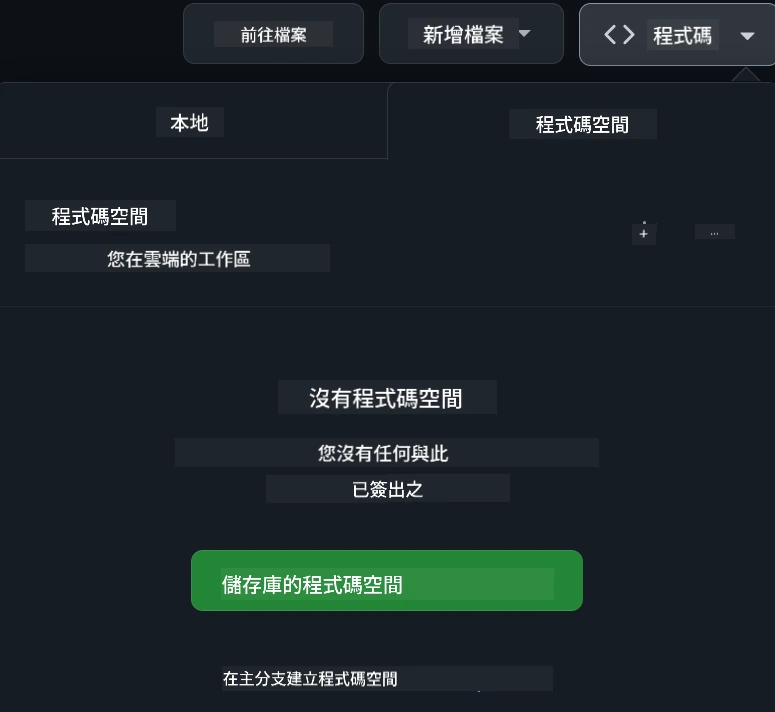
在你建立的複本中,點擊 **Code** 按鈕並選擇 **Open with Codespaces**。系統將建立一個新的 Codespace 供你使用。
#### 在本機電腦上運行課程
若要在本機電腦上運行本課程,你需要文字編輯工具、瀏覽器及命令列工具。我們的第一課,[程式語言與開發工具簡介](../../1-getting-started-lessons/1-intro-to-programming-languages),會帶你了解各種這些工具的選項,讓你挑選最適合自己的。
我們推薦使用 [Visual Studio Code](https://code.visualstudio.com/?WT.mc_id=academic-77807-sagibbon) 作為你的編輯器,它也內建有 [終端機](https://code.visualstudio.com/docs/terminal/basics/?WT.mc_id=academic-77807-sagibbon)。你可以從這裡下載 Visual Studio Code:[連結](https://code.visualstudio.com/?WT.mc_id=academic-77807-sagibbon)。
1. 將您的儲存庫複製到您的電腦。您可以點擊 **Code** 按鈕並複製 URL:
[CodeSpace](./images/createcodespace.png)
然後,在 [Visual Studio Code](https://code.visualstudio.com/?WT.mc_id=academic-77807-sagibbon) 中打開 [Terminal](https://code.visualstudio.com/docs/terminal/basics/?WT.mc_id=academic-77807-sagibbon) 並執行以下命令,將 `` 替換為剛才複製的網址:
```bash
git clone
```
2. 在 Visual Studio Code 中打開該資料夾。您可以點擊 **File** > **Open Folder** 並選擇剛剛複製的資料夾。
> 推薦的 Visual Studio Code 擴充功能:
>
> * [Live Server](https://marketplace.visualstudio.com/items?itemName=ritwickdey.LiveServer&WT.mc_id=academic-77807-sagibbon) - 用於在 Visual Studio Code 中預覽 HTML 頁面
> * [Copilot](https://marketplace.visualstudio.com/items?itemName=GitHub.copilot&WT.mc_id=academic-77807-sagibbon) - 幫助您更快地撰寫程式碼
## 📂 每個課程包括:
- 可選的手繪筆記
- 可選的補充影片
- 課前暖身測驗
- 書面課程內容
- 專案導向課程包含逐步指引如何建置專案
- 知識檢查
- 挑戰題
- 補充閱讀材料
- 作業
- [課後測驗](https://ff-quizzes.netlify.app/web/)
> 關於測驗的備註:所有測驗都包含在 Quiz-app 資料夾中,總共有 48 個測驗,每個測驗三個問題。可於[這裡](https://ff-quizzes.netlify.app/web/)使用,這個測驗應用程式可在本地執行或部署到 Azure;請遵循 `quiz-app` 資料夾中的說明。
## 🗃️ 課程列表
| | 專案名稱 | 教授概念 | 學習目標 | 連結課程 | 作者 |
| :-: | :------------------------------------------------------: | :--------------------------------------------------------------------: | ----------------------------------------------------------------------------------------------------------------------------------- | :----------------------------------------------------------------------------------------------------------------------------: | :---------------------: |
| 01 | Getting Started | 程式設計入門與工具介紹 | 學習多數程式語言的基本原理與協助專業開發者工作的軟體 | [Intro to Programming Languages and Tools of the Trade](./1-getting-started-lessons/1-intro-to-programming-languages/README.md) | Jasmine |
| 02 | Getting Started | GitHub 基本操作與團隊協作 | 如何在您的專案中使用 GitHub 並與他人協作 | [Intro to GitHub](./1-getting-started-lessons/2-github-basics/README.md) | Floor |
| 03 | Getting Started | 無障礙設計基礎 | 學習網頁無障礙設計基礎 | [Accessibility Fundamentals](./1-getting-started-lessons/3-accessibility/README.md) | Christopher |
| 04 | JS Basics | JavaScript 資料型態 | JavaScript 資料型態的基礎 | [Data Types](./2-js-basics/1-data-types/README.md) | Jasmine |
| 05 | JS Basics | 函數與方法 | 學習如何使用函數與方法管理應用程式中的邏輯流 | [Functions and Methods](./2-js-basics/2-functions-methods/README.md) | Jasmine and Christopher |
| 06 | JS Basics | 使用 JS 做決策判斷 | 學習如何在程式碼中使用判斷條件 | [Making Decisions](./2-js-basics/3-making-decisions/README.md) | Jasmine |
| 07 | JS Basics | 陣列與迴圈 | 使用 JavaScript 中的陣列與迴圈操作資料 | [Arrays and Loops](./2-js-basics/4-arrays-loops/README.md) | Jasmine |
| 08 | [Terrarium](./3-terrarium/solution/README.md) | HTML 實作 | 建立 HTML 以創建線上生態箱,專注於版面設計 | [Introduction to HTML](./3-terrarium/1-intro-to-html/README.md) | Jen |
| 09 | [Terrarium](./3-terrarium/solution/README.md) | CSS 實作 | 編寫 CSS 以美化線上生態箱,專注於 CSS 基礎及使頁面具備響應式 | [Introduction to CSS](./3-terrarium/2-intro-to-css/README.md) | Jen |
| 10 | [Terrarium](./3-terrarium/solution/README.md) | JavaScript 閉包與 DOM 操作 | 編寫 JavaScript 使生態箱具備拖放功能,專注於閉包與 DOM 操作 | [JavaScript Closures, DOM manipulation](./3-terrarium/3-intro-to-DOM-and-closures/README.md) | Jen |
| 11 | [Typing Game](./4-typing-game/solution/README.md) | 建置打字遊戲 | 學習如何使用鍵盤事件驅動 JavaScript 應用邏輯 | [Event-Driven Programming](./4-typing-game/typing-game/README.md) | Christopher |
| 12 | [Green Browser Extension](./5-browser-extension/solution/README.md) | 瀏覽器運作 | 瞭解瀏覽器運作原理、歷史以及如何架構第一個瀏覽器擴充功能元素 | [About Browsers](./5-browser-extension/1-about-browsers/README.md) | Jen |
| 13 | [Green Browser Extension](./5-browser-extension/solution/README.md) | 建立表單、呼叫 API 及使用本機端儲存變數 | 編寫瀏覽器擴充功能的 JavaScript 元素,使用儲存於本機端的變數呼叫 API | [APIs, Forms, and Local Storage](./5-browser-extension/2-forms-browsers-local-storage/README.md) | Jen |
| 14 | [Green Browser Extension](./5-browser-extension/solution/README.md) | 瀏覽器背景程序與網頁效能優化 | 利用瀏覽器背景程序管理擴充功能圖示;了解網頁效能及部分優化技巧 | [Background Tasks and Performance](./5-browser-extension/3-background-tasks-and-performance/README.md) | Jen |
| 15 | [Space Game](./6-space-game/solution/README.md) | 進階 JavaScript 遊戲開發 | 學習使用類別繼承、組合與公佈/訂閱 (Pub/Sub) 模式,為建置遊戲做準備 | [Introduction to Advanced Game Development](./6-space-game/1-introduction/README.md) | Chris |
| 16 | [Space Game](./6-space-game/solution/README.md) | Canvas 繪圖 | 認識 Canvas API,用於畫面元素繪製 | [Drawing to Canvas](./6-space-game/2-drawing-to-canvas/README.md) | Chris |
| 17 | [Space Game](./6-space-game/solution/README.md) | 移動畫面中的元素 | 探索如何使用笛卡兒坐標與 Canvas API 來讓元素產生移動效果 | [Moving Elements Around](./6-space-game/3-moving-elements-around/README.md) | Chris |
| 18 | [Space Game](./6-space-game/solution/README.md) | 碰撞偵測 | 使元素能相互碰撞且反應,利用按鍵事件並提供冷卻功能確保遊戲效能 | [Collision Detection](./6-space-game/4-collision-detection/README.md) | Chris |
| 19 | [Space Game](./6-space-game/solution/README.md) | 計分 | 根據遊戲狀態與表現進行數學計算 | [Keeping Score](./6-space-game/5-keeping-score/README.md) | Chris |
| 20 | [Space Game](./6-space-game/solution/README.md) | 結束及重新開始遊戲 | 了解如何結束並重啟遊戲,包括清理資源與重設變數值 | [The Ending Condition](./6-space-game/6-end-condition/README.md) | Chris |
| 21 | [Banking App](./7-bank-project/solution/README.md) | 網頁應用中的 HTML 模板與路由 | 學習如何使用路由與 HTML 模板建立多頁網站架構 | [HTML Templates and Routes](./7-bank-project/1-template-route/README.md) | Yohan |
| 22 | [Banking App](./7-bank-project/solution/README.md) | 建立登入與註冊表單 | 學習建立表單及處理驗證流程 | [Forms](./7-bank-project/2-forms/README.md) | Yohan |
| 23 | [Banking App](./7-bank-project/solution/README.md) | 資料抓取與使用方法 | 資料如何流入流出您的應用,如何抓取、儲存與處理 | [Data](./7-bank-project/3-data/README.md) | Yohan |
| 24 | [Banking App](./7-bank-project/solution/README.md) | 狀態管理概念 | 瞭解您的應用如何保留狀態及如何以程式方式管理狀態 | [State Management](./7-bank-project/4-state-management/README.md) | Yohan |
| 25 | [Browser/VScode Code](../../8-code-editor) | 使用 VScode | 學習如何使用程式碼編輯器 | [Use VScode Code Editor](./8-code-editor/1-using-a-code-editor/README.md) | Chris |
| 26 | [AI Assistants](./9-chat-project/README.md) | 使用 AI | 學習如何打造自己的 AI 助手 | [AI Assistant project](./9-chat-project/README.md) | Chris |
## 🏫 教學法
我們的課程設計基於兩個關鍵教學原則:
* 專案導向學習
* 頻繁的測驗
該計畫涵蓋 JavaScript、HTML 及 CSS 的基礎,以及當前網頁開發人員所使用的最新工具與技術。學生將有機會透過建構打字遊戲、虛擬生態箱、環保瀏覽器擴充功能、太空入侵者風格遊戲和企業銀行應用程式來累積實作經驗。課程結束時,學生將對網頁開發獲得扎實的理解。
> 🎓 您也可以在 Microsoft Learn 上以此課程的[學習路徑](https://docs.microsoft.com/learn/paths/web-development-101/?WT.mc_id=academic-77807-sagibbon)開始前幾課!
透過確保內容與專案緊密對應,學習過程對學生來說更具吸引力且概念吸收更佳。我們也撰寫了多堂 JavaScript 基礎入門課程,搭配「[JavaScript 新手系列](https://channel9.msdn.com/Series/Beginners-Series-to-JavaScript/?WT.mc_id=academic-77807-sagibbon)」的教學影片,其中部分作者也參與本課程內容的編撰。
此外,每堂課前的低壓力測驗幫助學生專心學習主題,而課後的測驗則促進進一步的概念鞏固。此課程設計靈活有趣,可全程參與或分段學習。專案由淺入深,逐漸增加難度,包含一個 12 週的循環課程。
雖然我們刻意避免介紹 JavaScript 框架,以便先專注於成為網頁開發人員所需的基本技能,再採用框架,接下來的好選擇是透過另一系列教學影片學習 Node.js:「[Node.js 新手系列](https://channel9.msdn.com/Series/Beginners-Series-to-Nodejs/?WT.mc_id=academic-77807-sagibbon)」。
> 請參考我們的[行為準則](CODE_OF_CONDUCT.md)及[貢獻指南](CONTRIBUTING.md)。我們歡迎您提出建設性的回饋!
## 🧭 離線存取
您可以使用 [Docsify](https://docsify.js.org/#/) 離線瀏覽本文件。請 fork 此儲存庫,在本機安裝 [Docsify](https://docsify.js.org/#/quickstart),然後於本儲存庫根目錄輸入 `docsify serve`。網站將透過本地主機的 3000 埠提供服務:`localhost:3000`。
## 📘 PDF
所有課程的 PDF 版本可在[此處](https://microsoft.github.io/Web-Dev-For-Beginners/pdf/readme.pdf)下載。
## 🎒 其他課程
我們團隊還製作了其他課程!請參考:
### LangChain
[](https://aka.ms/langchain4j-for-beginners)
[](https://aka.ms/langchainjs-for-beginners?WT.mc_id=m365-94501-dwahlin)
[](https://github.com/microsoft/langchain-for-beginners?WT.mc_id=m365-94501-dwahlin)
---
### Azure / Edge / MCP / Agents
[](https://github.com/microsoft/AZD-for-beginners?WT.mc_id=academic-105485-koreyst)
[](https://github.com/microsoft/edgeai-for-beginners?WT.mc_id=academic-105485-koreyst)
[](https://github.com/microsoft/mcp-for-beginners?WT.mc_id=academic-105485-koreyst)
[](https://github.com/microsoft/ai-agents-for-beginners?WT.mc_id=academic-105485-koreyst)
---
### 生成式 AI 系列
[](https://github.com/microsoft/generative-ai-for-beginners?WT.mc_id=academic-105485-koreyst)
[-9333EA?style=for-the-badge&labelColor=E5E7EB&color=9333EA)](https://github.com/microsoft/Generative-AI-for-beginners-dotnet?WT.mc_id=academic-105485-koreyst)
[-C084FC?style=for-the-badge&labelColor=E5E7EB&color=C084FC)](https://github.com/microsoft/generative-ai-for-beginners-java?WT.mc_id=academic-105485-koreyst)
[-E879F9?style=for-the-badge&labelColor=E5E7EB&color=E879F9)](https://github.com/microsoft/generative-ai-with-javascript?WT.mc_id=academic-105485-koreyst)
---
### 核心學習
[](https://aka.ms/ml-beginners?WT.mc_id=academic-105485-koreyst)
[](https://aka.ms/datascience-beginners?WT.mc_id=academic-105485-koreyst)
[](https://aka.ms/ai-beginners?WT.mc_id=academic-105485-koreyst)
[](https://github.com/microsoft/Security-101?WT.mc_id=academic-96948-sayoung)
[](https://aka.ms/webdev-beginners?WT.mc_id=academic-105485-koreyst)
[](https://aka.ms/iot-beginners?WT.mc_id=academic-105485-koreyst)
[](https://github.com/microsoft/xr-development-for-beginners?WT.mc_id=academic-105485-koreyst)
---
### Copilot 系列
[](https://aka.ms/GitHubCopilotAI?WT.mc_id=academic-105485-koreyst)
[](https://github.com/microsoft/mastering-github-copilot-for-dotnet-csharp-developers?WT.mc_id=academic-105485-koreyst)
[](https://github.com/microsoft/CopilotAdventures?WT.mc_id=academic-105485-koreyst)
## 尋求協助
如果你遇到困難或對建置 AI 應用程式有任何疑問,歡迎加入其他學習者及經驗豐富開發者,參與 MCP 的討論。這裏是一個支持性強的社群,歡迎提問並自由分享知識。
[](https://discord.gg/nTYy5BXMWG)
如果你在建置過程中有產品回饋或錯誤,請造訪:
[](https://aka.ms/foundry/forum)
## 授權條款
本專案庫採用 MIT 授權條款。詳情請參閱[LICENSE](../../LICENSE)檔案。
---
**免責聲明**:
本文件由 AI 翻譯服務 [Co-op Translator](https://github.com/Azure/co-op-translator) 進行翻譯。雖然我們力求準確,但請注意自動翻譯可能包含錯誤或不準確之處。原始文件的母語版本應視為權威來源。對於重要資訊,建議採用專業人工翻譯。我們不對因使用本翻譯而產生的任何誤解或曲解承擔責任。