
 localizeflow[bot]
f920c8dadd
localizeflow[bot]
f920c8dadd
|
3 months ago | |
|---|---|---|
| .. | ||
| 1-Introduction | 3 months ago | |
| 2-Working-With-Data | 3 months ago | |
| 3-Data-Visualization | 3 months ago | |
| 4-Data-Science-Lifecycle | 3 months ago | |
| 5-Data-Science-In-Cloud | 3 months ago | |
| 6-Data-Science-In-Wild | 3 months ago | |
| docs | 5 months ago | |
| examples | 5 months ago | |
| quiz-app | 5 months ago | |
| sketchnotes | 3 months ago | |
| AGENTS.md | 5 months ago | |
| CODE_OF_CONDUCT.md | 5 months ago | |
| CONTRIBUTING.md | 5 months ago | |
| INSTALLATION.md | 5 months ago | |
| README.md | 3 months ago | |
| SECURITY.md | 5 months ago | |
| SUPPORT.md | 5 months ago | |
| TROUBLESHOOTING.md | 5 months ago | |
| USAGE.md | 5 months ago | |
| for-teachers.md | 5 months ago | |
README.md
Data Science for Beginners - A Curriculum








Azure Cloud Advocates for Microsoft dey happy to offer 10 weeks, 20 lessons curriculum wey na all about Data Science. Every lesson get pre-lesson and post-lesson quizzes, written instructions to complete di lesson, solution and assignment. Our project-based way to teach go allow you learn as you dey build, na proven way to make new skills stick.
Big thanks to our authors: Jasmine Greenaway, Dmitry Soshnikov, Nitya Narasimhan, Jalen McGee, Jen Looper, Maud Levy, Tiffany Souterre, Christopher Harrison.
🙏 Special thanks 🙏 to our Microsoft Student Ambassador authors, reviewers and content contributors, especially Aaryan Arora, Aditya Garg, Alondra Sanchez, Ankita Singh, Anupam Mishra, Arpita Das, ChhailBihari Dubey, Dibri Nsofor, Dishita Bhasin, Majd Safi, Max Blum, Miguel Correa, Mohamma Iftekher (Iftu) Ebne Jalal, Nawrin Tabassum, Raymond Wangsa Putra, Rohit Yadav, Samridhi Sharma, Sanya Sinha, Sheena Narula, Tauqeer Ahmad, Yogendrasingh Pawar , Vidushi Gupta, Jasleen Sondhi
 |
|---|
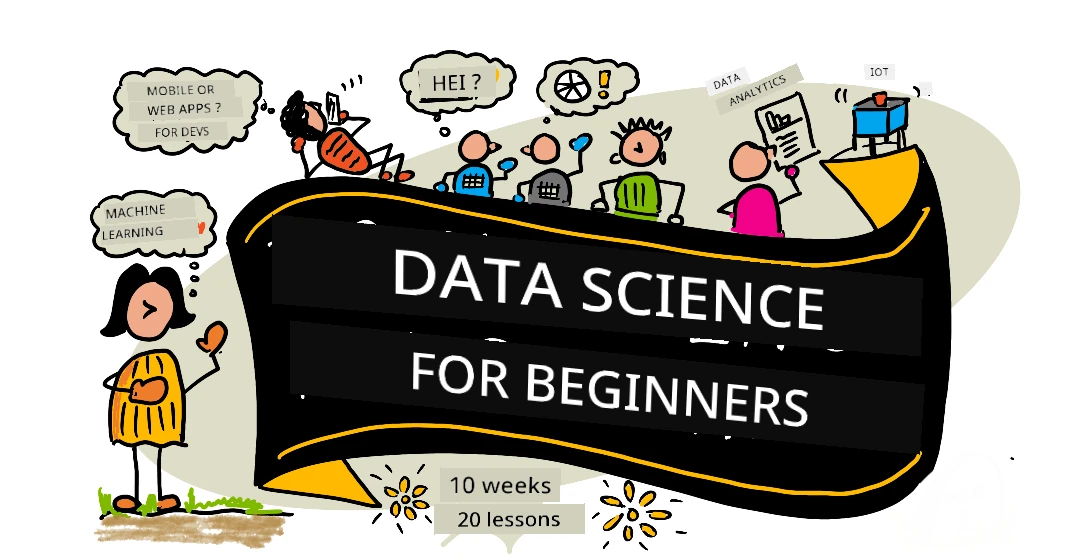
| Data Science For Beginners - Sketchnote by @nitya |
🌐 Multi-Language Support
Supported via GitHub Action (Automated & Always Up-to-Date)
Arabic | Bengali | Bulgarian | Burmese (Myanmar) | Chinese (Simplified) | Chinese (Traditional, Hong Kong) | Chinese (Traditional, Macau) | Chinese (Traditional, Taiwan) | Croatian | Czech | Danish | Dutch | Estonian | Finnish | French | German | Greek | Hebrew | Hindi | Hungarian | Indonesian | Italian | Japanese | Kannada | Korean | Lithuanian | Malay | Malayalam | Marathi | Nepali | Nigerian Pidgin | Norwegian | Persian (Farsi) | Polish | Portuguese (Brazil) | Portuguese (Portugal) | Punjabi (Gurmukhi) | Romanian | Russian | Serbian (Cyrillic) | Slovak | Slovenian | Spanish | Swahili | Swedish | Tagalog (Filipino) | Tamil | Telugu | Thai | Turkish | Ukrainian | Urdu | Vietnamese
Prefer to Clone Locally?
This repository get over 50 language translations wey go make the download size big well well. If you want to clone without translations, use sparse checkout:
git clone --filter=blob:none --sparse https://github.com/microsoft/Data-Science-For-Beginners.git
cd Data-Science-For-Beginners
git sparse-checkout set --no-cone '/*' '!translations' '!translated_images'
Dis one go give you everything wey you need to complete di course but download go quick more.
If you want make dem add more translations, di ones wey dem fit add dey listed here
Join Our Community
We get Discord learn with AI serieswey dey go on, learn more and join us for Learn with AI Series from 18 - 30 September, 2025. You go get tips and tricks to use GitHub Copilot for Data Science.

You be student?
Start with dis resources dem:
- Student Hub page For dis page, you go find beginner resources, Student packs and ways to get free certificate voucher. Na one page you go like bookmark and dey check from time to time because we dey change content at least every month.
- Microsoft Learn Student Ambassadors Join global community of student ambassadors, dis one fit be your way enter Microsoft.
How you go start
📚 Documentation
- Installation Guide - Step-by-step setup instructions for beginners
- Usage Guide - Examples and common workflows
- Troubleshooting - Solutions to common issues
- Contributing Guide - How to contribute to this project
- For Teachers - Teaching guidance and classroom resources
👨🎓 For Students
Complete Beginners: You new for data science? Start with our beginner-friendly examples! Dem simple examples with good comments go help you understand basics well well before you start di full curriculum. Students: If you wan use this curriculum by yourself, fork the whole repo and do all the exercises by yourself, start with pre-lecture quiz. Then read the lecture and complete the rest activities. Try make you create the projects by understanding the lessons instead of just copying di solution code; but that code dey the /solutions folders for each project-based lesson. Another idea na to form study group with your friends and go through the content together. For more study, we recommend Microsoft Learn.
Quick Start:
- Check Installation Guide to set up your environment
- Read Usage Guide to sabi how to work with the curriculum
- Start with Lesson 1 and follow the lessons one by one
- Join our Discord community for support
👩🏫 For Teachers
Teachers: We don include some suggestions for how to use this curriculum here. We go like hear your feedback for our discussion forum!
Meet the Team
Gif by Mohit Jaisal
🎥 Click di pipul wey dey for di picture up top for video about di project and di pipo wey create am!
Pedagogy
We choose two pedagogy work principles wen we dey build dis curriculum: make e be project-based and make e get plenty quizzes wey dey happen often. By di time dis series finish, students go don learn di basic principles of data science, including ethical concepts, data preparation, different ways to work with data, data visualization, data analysis, real-world ways wey people dey use data science, plus more.
Plus, one low-stakes quiz before class dey set di student mind to learn di topic, while one other quiz after class dey help dem hold di knowledge. Dis curriculum na to make am flexible and fun and fit be taken finish or take small parts. Di projects dey start small then grow to big and complex by di time di 10 week cycle finish.
Find our Code of Conduct, Contributing, Translation guidelines. We dey welcome your constructive feedback!
Each lesson get:
- Optional sketchnote
- Optional supplemental video
- Pre-lesson warmup quiz
- Written lesson
- For project-based lessons, step-by-step guides on how to build di project
- Knowledge checks
- Challenge
- Supplemental reading
- Assignment
- Post-lesson quiz
Note about quizzes: All quizzes dey inside di Quiz-App folder, total na 40 quizzes with three questions each. Dem link dem inside di lessons, but quiz app fit run for local or fit deploy to Azure; follow di instruction for
quiz-appfolder. Dem dey slowly dey localize.
🎓 Beginner-Friendly Examples
New to Data Science? We create one special examples directory wey get simple, well-commented code to help you start:
- 🌟 Hello World - Your first data science program
- 📂 Loading Data - Learn how to read and explore datasets
- 📊 Simple Analysis - Calculate statistics and find patterns
- 📈 Basic Visualization - Create charts and graphs
- 🔬 Real-World Project - Complete workflow from start to finish
Each example get detailed comments wey explain every step, make am perfect for complete beginners!
Lessons
 |
|---|
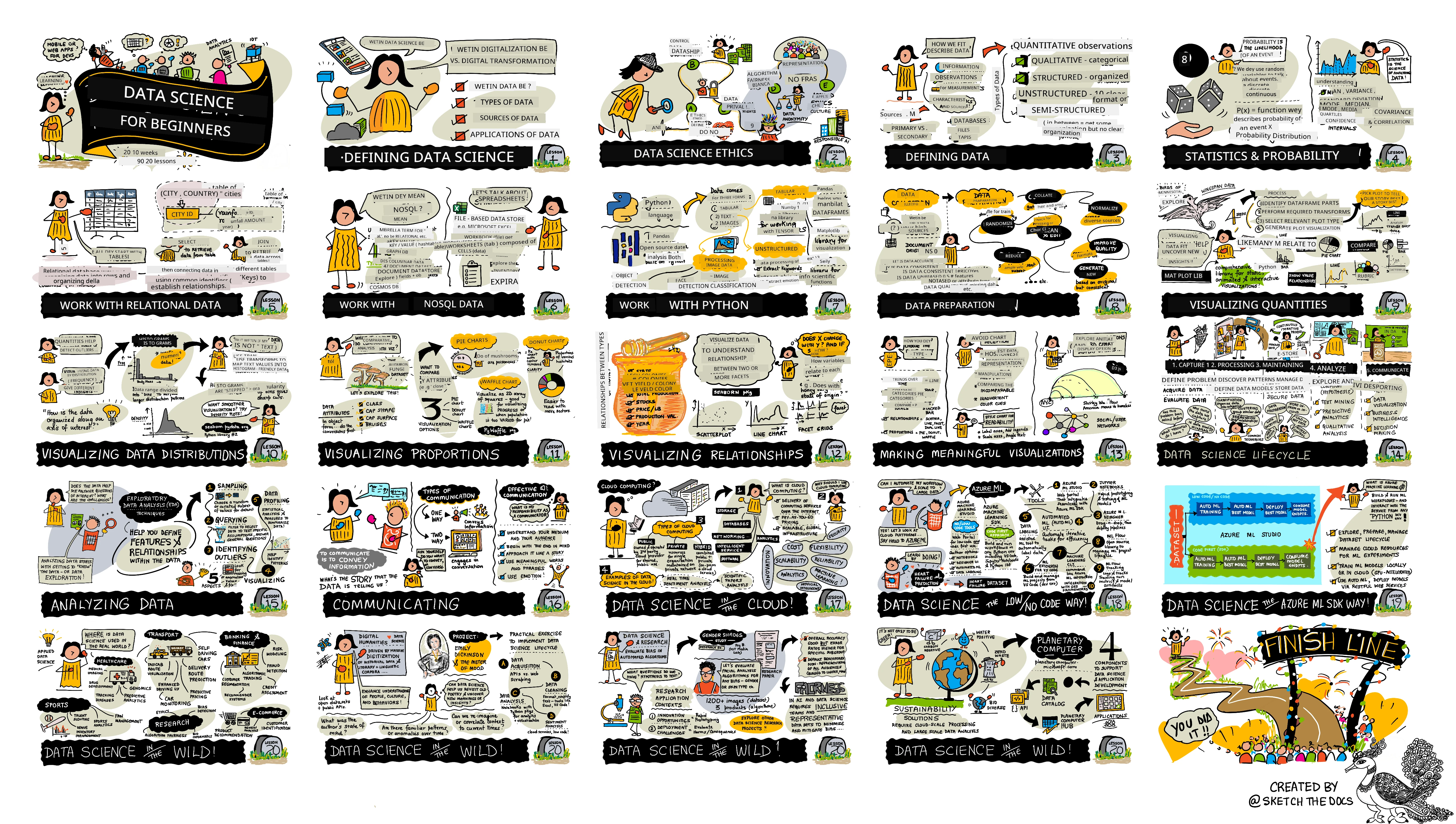
| Data Science For Beginners: Roadmap - Sketchnote by @nitya |
| Lesson Number | Topic | Lesson Grouping | Learning Objectives | Linked Lesson | Author |
|---|---|---|---|---|---|
| 01 | Defining Data Science | Introduction | Learn di basic concepts behind data science and how e relate to artificial intelligence, machine learning, and big data. | lesson video | Dmitry |
| 02 | Data Science Ethics | Introduction | Data Ethics Concepts, Challenges & Frameworks. | lesson | Nitya |
| 03 | Defining Data | Introduction | How data dey classified and di common sources. | lesson | Jasmine |
| 04 | Introduction to Statistics & Probability | Introduction | Di mathematical techniques of probability and statistics to understand data. | lesson video | Dmitry |
| 05 | Working with Relational Data | Working With Data | Introduction to relational data and di basics of exploring and analyzing relational data with Structured Query Language, wey dem dey call SQL (pronounced “see-quell”). | lesson | Christopher |
| 06 | Working with NoSQL Data | Working With Data | Introduction to non-relational data, e different types and di basics of exploring and analyzing document databases. | lesson | Jasmine |
| 07 | Working with Python | Working With Data | Basics of using Python for data exploration with libraries like Pandas. Foundational knowledge of Python programming dey recommended. | lesson video | Dmitry |
| 08 | Data Preparation | Working With Data | Topics on data techniques for cleaning and transforming data to handle challenges of missing, inaccurate, or incomplete data. | lesson | Jasmine |
| 09 | Visualizing Quantities | Data Visualization | Learn how to use Matplotlib to visualize bird data 🦆 | lesson | Jen |
| 10 | Visualizing Distributions of Data | Data Visualization | Visualizing observations and trends inside interval. | lesson | Jen |
| 11 | Visualizing Proportions | Data Visualization | Visualizing discrete and grouped percentages. | lesson | Jen |
| 12 | Visualizing Relationships | Data Visualization | Visualizing connections and correlations between sets of data and their variables. | lesson | Jen |
| 13 | Meaningful Visualizations | Data Visualization | Techniques and guidance to make your visualizations valuable for better problem solving and insights. | lesson | Jen |
| 14 | Introduction to the Data Science lifecycle | Lifecycle | Introduction to data science lifecycle and di first step of acquiring and extracting data. | lesson | Jasmine |
| 15 | Analyzing | Lifecycle | Dis phase of di data science lifecycle focus on techniques to analyze data. | lesson | Jasmine |
| 16 | Communication | Lifecycle | Dis phase of di data science lifecycle focus on presenting insights from data in way wey go make am easy for decision makers to understand. | lesson | Jalen |
| 17 | Data Science in the Cloud | Cloud Data | Dis series of lessons dey introduce data science for cloud and di benefits. | lesson | Tiffany and Maud |
| 18 | Data Science in the Cloud | Cloud Data | Training models using Low Code tools. | lesson | Tiffany and Maud |
| 19 | Data Science in the Cloud | Cloud Data | Deploying models with Azure Machine Learning Studio. | lesson | Tiffany and Maud |
| 20 | Data Science in the Wild | In the Wild | Data science driven projects for real world. | lesson | Nitya |
GitHub Codespaces
Follow these steps to open dis sample for Codespace:
- Click the Code drop-down menu and select Open with Codespaces option.
- Select + New codespace for bottom of di pane. For more info, check di GitHub documentation.
VSCode Remote - Containers
Follow these steps to open dis repo inside container using your local machine and VSCode with VS Code Remote - Containers extension:
- If na your first time to use development container, make sure your system get di pre-reqs (like Docker installed) inside di getting started documentation.
To use this repository, you fit open di repo inside isolated Docker volume:
Note: Under di hood, dis go use Remote-Containers: Clone Repository in Container Volume... command to clone source code inside Docker volume instead of local filesystem. Volumes na preferred way to keep container data.
Or open local cloned or downloaded copy of di repo:
- Clone dis repo to your local filesystem.
- Press F1 and select Remote-Containers: Open Folder in Container... command.
- Select cloned copy of dis folder, wait for container to start, then try am.
Offline access
You fit run dis documentation offline by using Docsify. Fork dis repo, install Docsify on your local machine, then for root folder of dis repo, type docsify serve. Di website go run on port 3000 for your localhost: localhost:3000.
Note, notebooks no go render through Docsify, so wen you need run notebook, do am separate for VS Code running Python kernel.
Other Curricula
Our team dey produce other curricula! Check am out:
LangChain


Azure / Edge / MCP / Agents




Generative AI Series

-9333EA?style=for-the-badge&labelColor=E5E7EB&color=9333EA)
-C084FC?style=for-the-badge&labelColor=E5E7EB&color=C084FC)
-E879F9?style=for-the-badge&labelColor=E5E7EB&color=E879F9)
Core Learning







Copilot Series



Getting Help
You dey face wahala? Check our Troubleshooting Guide for solution dem to common problem dem.
If you jam gbege or get any question about how to build AI app dem. Join other learners and beta developers dem for discussion about MCP. E be community wey dey support, questions dey welcome, and knowledge dey free to share.
If you get product feedback or e get error wen you dey build, visit:
Disclaimer: Dis document don translate wit AI translation service Co-op Translator. Even tho we dey try make am correct, abeg sabi say automated translation fit get errors or mistakes. Di original document wey dey im own language na im be di main correct one. For important matter, e better make person pikin human translator do am. We no go dey responsible for any wahala or wrong meaning wey fit happen because of dis translation.