
 leestott
57edd69619
leestott
57edd69619
|
11 months ago | |
|---|---|---|
| .. | ||
| 1-Introduction | 12 months ago | |
| 2-Working-With-Data | 12 months ago | |
| 3-Data-Visualization | 12 months ago | |
| 4-Data-Science-Lifecycle | 12 months ago | |
| 5-Data-Science-In-Cloud | 12 months ago | |
| 6-Data-Science-In-Wild | 12 months ago | |
| docs | 1 year ago | |
| examples | 11 months ago | |
| quiz-app | 1 year ago | |
| sketchnotes | 1 year ago | |
| AGENTS.md | 11 months ago | |
| CODE_OF_CONDUCT.md | 1 year ago | |
| CONTRIBUTING.md | 1 year ago | |
| README.md | 11 months ago | |
| SECURITY.md | 1 year ago | |
| SUPPORT.md | 1 year ago | |
| for-teachers.md | 12 months ago | |
README.md
Data Science for Beginners - A Curriculum
Azure Cloud Advocates at Microsoft are excited to present a 10-week, 20-lesson curriculum focused on Data Science. Each lesson includes pre-lesson and post-lesson quizzes, detailed instructions, solutions, and assignments. This project-based approach helps you learn effectively by building, ensuring the skills you acquire are retained.
Special thanks to our authors: Jasmine Greenaway, Dmitry Soshnikov, Nitya Narasimhan, Jalen McGee, Jen Looper, Maud Levy, Tiffany Souterre, Christopher Harrison.
🙏 Special thanks 🙏 to our Microsoft Student Ambassador authors, reviewers, and contributors, including Aaryan Arora, Aditya Garg, Alondra Sanchez, Ankita Singh, Anupam Mishra, Arpita Das, ChhailBihari Dubey, Dibri Nsofor, Dishita Bhasin, Majd Safi, Max Blum, Miguel Correa, Mohamma Iftekher (Iftu) Ebne Jalal, Nawrin Tabassum, Raymond Wangsa Putra, Rohit Yadav, Samridhi Sharma, Sanya Sinha, Sheena Narula, Tauqeer Ahmad, Yogendrasingh Pawar, Vidushi Gupta, Jasleen Sondhi.
 |
|---|
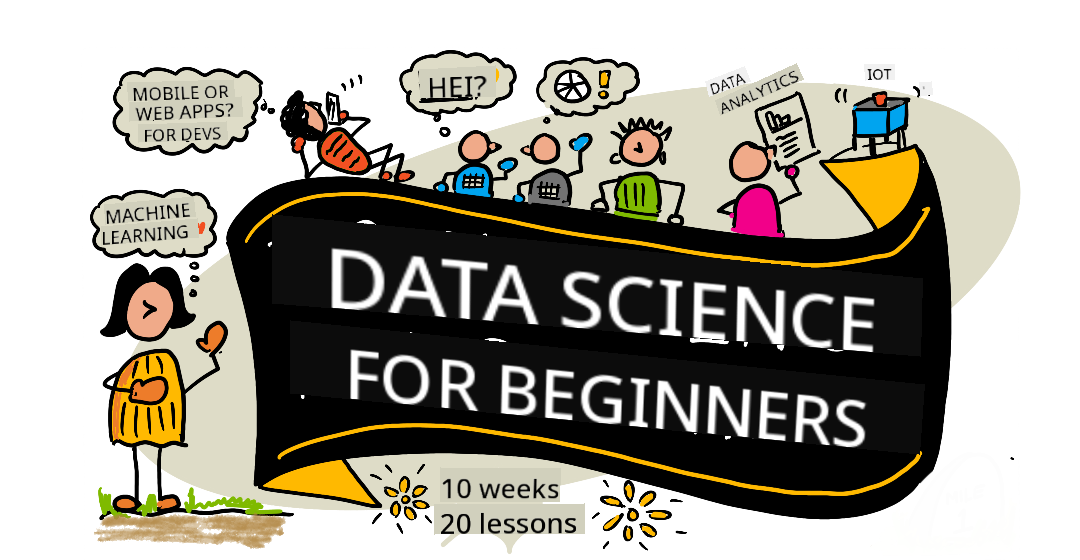
| Data Science For Beginners - Sketchnote by @nitya |
🌐 Multi-Language Support
Supported via GitHub Action (Automated & Always Up-to-Date)
French | Spanish | German | Russian | Arabic | Persian (Farsi) | Urdu | Chinese (Simplified) | Chinese (Traditional, Macau) | Chinese (Traditional, Hong Kong) | Chinese (Traditional, Taiwan) | Japanese | Korean | Hindi | Bengali | Marathi | Nepali | Punjabi (Gurmukhi) | Portuguese (Portugal) | Portuguese (Brazil) | Italian | Polish | Turkish | Greek | Thai | Swedish | Danish | Norwegian | Finnish | Dutch | Hebrew | Vietnamese | Indonesian | Malay | Tagalog (Filipino) | Swahili | Hungarian | Czech | Slovak | Romanian | Bulgarian | Serbian (Cyrillic) | Croatian | Slovenian | Ukrainian | Burmese (Myanmar)
If you'd like additional translations, supported languages are listed here
Join Our Community
We are hosting a Discord "Learn with AI" series from September 18–30, 2025. Join us to learn tips and tricks for using GitHub Copilot in Data Science.

Are you a student?
Start with these resources:
- Student Hub page: Find beginner resources, student packs, and even ways to get a free certification voucher. Bookmark this page and check back often as content is updated monthly.
- Microsoft Learn Student Ambassadors: Join a global community of student ambassadors—your gateway to Microsoft.
Getting Started
Complete Beginners: New to data science? Begin with our beginner-friendly examples! These simple, well-commented examples will help you grasp the basics before diving into the full curriculum.
Teachers: We've included suggestions on how to use this curriculum. Share your feedback in our discussion forum!
Students: To use this curriculum independently, fork the repository and complete the exercises, starting with the pre-lecture quiz. Then, read the lecture and complete the activities. Try to build the projects by understanding the lessons rather than copying the solution code (available in the /solutions folders for each project-based lesson). Alternatively, form a study group with friends and go through the content together. For further study, explore Microsoft Learn.
Meet the Team

Gif by Mohit Jaisal
🎥 Click the image above to watch a video about the project and the team behind it!
Pedagogy
This curriculum is built on two key principles: project-based learning and frequent quizzes. By the end of this series, students will understand fundamental data science concepts, including ethical considerations, data preparation, data visualization, data analysis, real-world applications, and more.
Low-stakes quizzes before a class help students focus on the topic, while post-class quizzes reinforce retention. The curriculum is designed to be flexible and engaging, allowing students to complete it in full or in part. Projects start small and grow in complexity over the 10-week cycle.
Check out our Code of Conduct, Contributing, and Translation guidelines. We welcome your constructive feedback!
Each lesson includes:
- Optional sketchnote
- Optional supplemental video
- Pre-lesson warmup quiz
- Written lesson
- Step-by-step guides for project-based lessons
- Knowledge checks
- A challenge
- Supplemental reading
- Assignment
- Post-lesson quiz
A note about quizzes: All quizzes are located in the Quiz-App folder, containing a total of 40 quizzes with three questions each. They are linked within the lessons, but the quiz app can be run locally or deployed to Azure; follow the instructions in the
quiz-appfolder. Localization is ongoing.
🎓 Beginner-Friendly Examples
New to Data Science? We've created a special examples directory with simple, well-commented code to help you get started:
- 🌟 Hello World - Your first data science program
- 📂 Loading Data - Learn how to read and explore datasets
- 📊 Simple Analysis - Calculate statistics and identify patterns
- 📈 Basic Visualization - Create charts and graphs
- 🔬 Real-World Project - Complete workflow from start to finish
Each example includes detailed comments explaining every step, making it ideal for absolute beginners!
Lessons
 |
|---|
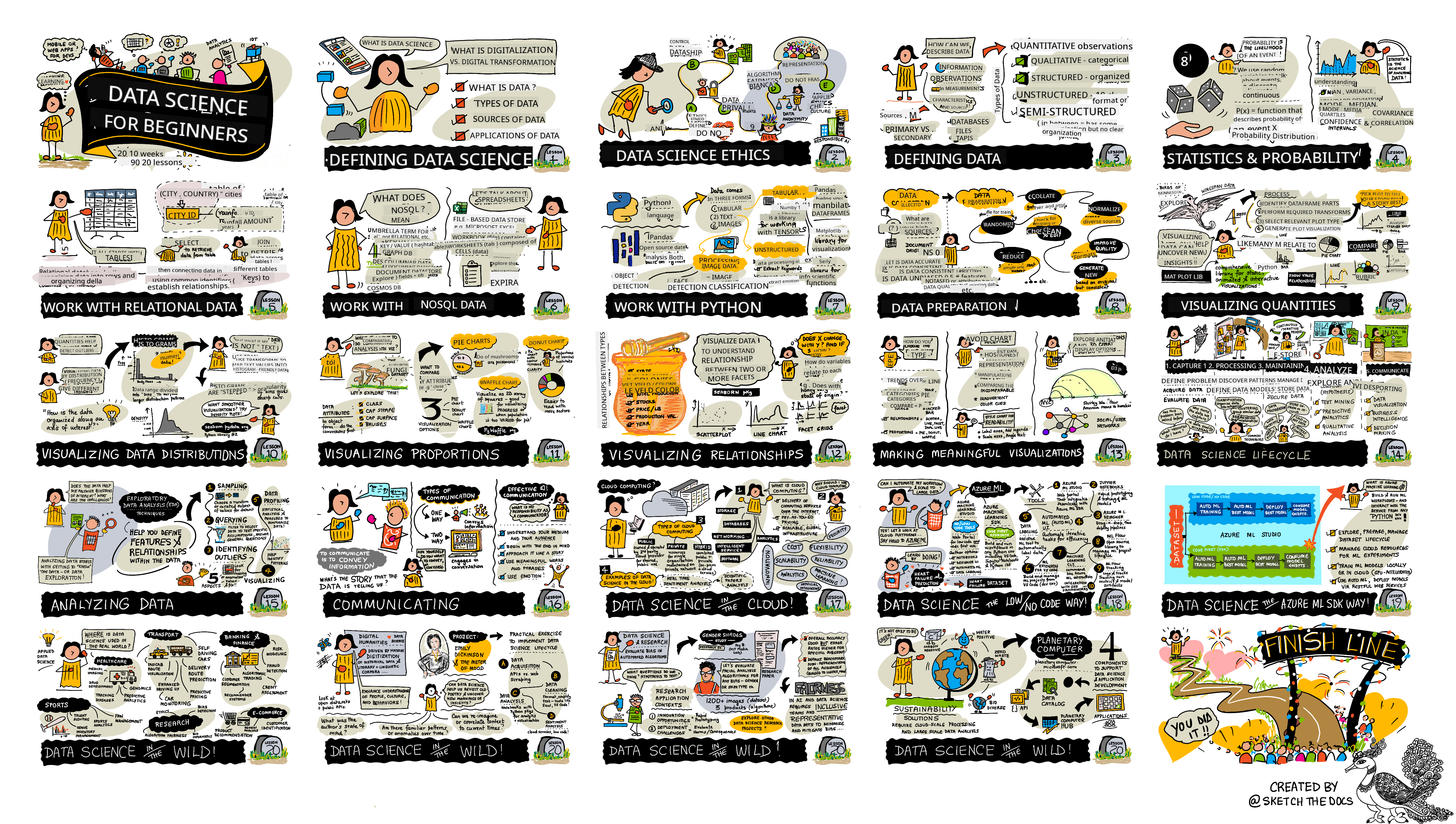
| Data Science For Beginners: Roadmap - Sketchnote by @nitya |
| Lesson Number | Topic | Lesson Grouping | Learning Objectives | Linked Lesson | Author |
|---|---|---|---|---|---|
| 01 | Defining Data Science | Introduction | Learn the basic concepts behind data science and how it’s related to artificial intelligence, machine learning, and big data. | lesson video | Dmitry |
| 02 | Data Science Ethics | Introduction | Concepts, challenges, and frameworks related to data ethics. | lesson | Nitya |
| 03 | Defining Data | Introduction | How data is classified and its common sources. | lesson | Jasmine |
| 04 | Introduction to Statistics & Probability | Introduction | Mathematical techniques of probability and statistics to understand data. | lesson video | Dmitry |
| 05 | Working with Relational Data | Working With Data | Introduction to relational data and the basics of exploring and analyzing relational data using Structured Query Language, also known as SQL (pronounced “see-quell”). | lesson | Christopher |
| 06 | Working with NoSQL Data | Working With Data | Introduction to non-relational data, its various types, and the basics of exploring and analyzing document databases. | lesson | Jasmine |
| 07 | Working with Python | Working With Data | Basics of using Python for data exploration with libraries like Pandas. Foundational understanding of Python programming is recommended. | lesson video | Dmitry |
| 08 | Data Preparation | Working With Data | Techniques for cleaning and transforming data to address challenges like missing, inaccurate, or incomplete data. | lesson | Jasmine |
| 09 | Visualizing Quantities | Data Visualization | Learn how to use Matplotlib to visualize bird data 🦆 | lesson | Jen |
| 10 | Visualizing Distributions of Data | Data Visualization | Visualizing observations and trends within an interval. | lesson | Jen |
| 11 | Visualizing Proportions | Data Visualization | Visualizing discrete and grouped percentages. | lesson | Jen |
| 12 | Visualizing Relationships | Data Visualization | Visualizing connections and correlations between sets of data and their variables. | lesson | Jen |
| 13 | Meaningful Visualizations | Data Visualization | Techniques and guidance for creating visualizations that effectively solve problems and provide insights. | lesson | Jen |
| 14 | Introduction to the Data Science lifecycle | Lifecycle | Introduction to the data science lifecycle and its first step: acquiring and extracting data. | lesson | Jasmine |
| 15 | Analyzing | Lifecycle | This phase of the data science lifecycle focuses on techniques for analyzing data. | lesson | Jasmine |
| 16 | Communication | Lifecycle | This phase of the data science lifecycle focuses on presenting insights from the data in a way that decision-makers can easily understand. | lesson | Jalen |
| 17 | Data Science in the Cloud | Cloud Data | This series of lessons introduces data science in the cloud and its benefits. | lesson | Tiffany and Maud |
| 18 | Data Science in the Cloud | Cloud Data | Training models using Low Code tools. | lesson | Tiffany and Maud |
| 19 | Data Science in the Cloud | Cloud Data | Deploying models with Azure Machine Learning Studio. | lesson | Tiffany and Maud |
| 20 | Data Science in the Wild | In the Wild | Data science-driven projects in the real world. | lesson | Nitya |
GitHub Codespaces
Follow these steps to open this sample in a Codespace:
- Click the Code drop-down menu and select the Open with Codespaces option.
- Select + New codespace at the bottom of the pane. For more info, check out the GitHub documentation.
VSCode Remote - Containers
Follow these steps to open this repo in a container using your local machine and VSCode with the VS Code Remote - Containers extension:
- If this is your first time using a development container, please ensure your system meets the prerequisites (i.e., have Docker installed) in the getting started documentation.
To use this repository, you can either open the repository in an isolated Docker volume:
Note: Under the hood, this will use the Remote-Containers: Clone Repository in Container Volume... command to clone the source code in a Docker volume instead of the local filesystem. Volumes are the preferred mechanism for persisting container data.
Or open a locally cloned or downloaded version of the repository:
- Clone this repository to your local filesystem.
- Press F1 and select the Remote-Containers: Open Folder in Container... command.
- Select the cloned copy of this folder, wait for the container to start, and try things out.
Offline access
You can run this documentation offline by using Docsify. Fork this repo, install Docsify on your local machine, then in the root folder of this repo, type docsify serve. The website will be served on port 3000 on your localhost: localhost:3000.
Note, notebooks will not be rendered via Docsify, so when you need to run a notebook, do that separately in VS Code running a Python kernel.
Other Curricula
Our team produces other curricula! Check out:
- Edge AI for Beginners
- AI Agents for Beginners
- Generative AI for Beginners
- Generative AI for Beginners .NET
- Generative AI with JavaScript
- Generative AI with Java
- AI for Beginners
- Data Science for Beginners
- Bash for Beginners
- ML for Beginners
- Cybersecurity for Beginners
- Web Dev for Beginners
- IoT for Beginners
- Machine Learning for Beginners
- XR Development for Beginners
- Mastering GitHub Copilot for AI Paired Programming
- XR Development for Beginners
- Mastering GitHub Copilot for C#/.NET Developers
- Choose Your Own Copilot Adventure
Getting Help
If you get stuck or have any questions about building AI apps, join:

If you have product feedback or errors while building visit:

Disclaimer:
This document has been translated using the AI translation service Co-op Translator. While we strive for accuracy, please note that automated translations may contain errors or inaccuracies. The original document in its native language should be regarded as the authoritative source. For critical information, professional human translation is recommended. We are not responsible for any misunderstandings or misinterpretations resulting from the use of this translation.